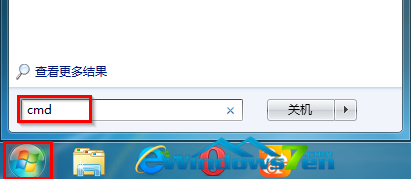
使用內建 Administrator 帳號登入 Win10 10074 時,右鍵桌面選「個人化」會報錯:「該檔案沒有關聯的程式執行」。主因是內建管理員帳號的 UAC 核准模式預設停用,導致 Metro 應用程式無法正常啟動。
gpedit.msc 開啟群組原則編輯器。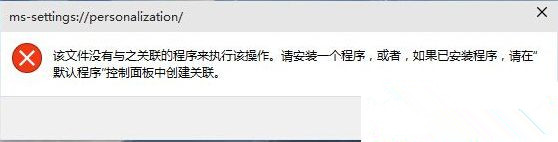
微軟不建議長期使用內建 Administrator 帳號,權限機制與 Win7 不同,易遇相容性問題。請建立新的本機管理員帳號或使用 Microsoft 帳號登入,體驗更穩定完整。
Win10 新增 VPN 連線完整圖文教程:幾步搞定虛擬專用網路設定
Windows 10 Mobile 10512 快速通道推送開啟:升級步驟與注意事項
Windows 7 設定自動關機:工作排程器與 shutdown 指令
收不到 Win10 升級預約通知?官方批次檔一鍵修復缺漏更新、檢查系統版本
Win10 Build 10159 全新預設桌布「Hero」4K 高清下載:無數位建模渲染純拍攝
Windows 7 變更使用者帳戶類型教學:管理員降級為標準使用者提升安全性
Windows 鍵盤 Win 鍵完整功能大全:10 個必學超實用快速鍵提升操作效率
Windows 10 將改善 4K 高解析度顯示器支援:系統 DPI 縮放問題已找到解決方案,Insider 建置版測試中