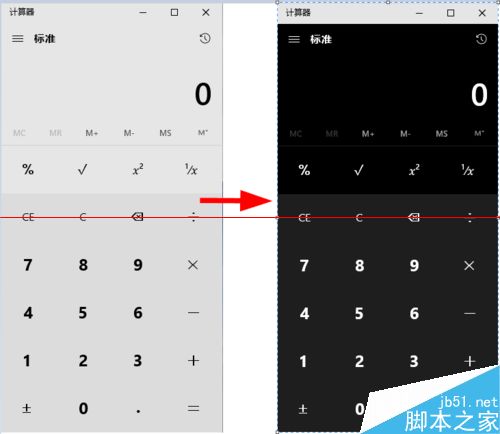
Windows 10 Build 10074 隱藏暗黑模式,透過修改登錄檔即可啟用,適用於計算機、設定等系統應用程式。
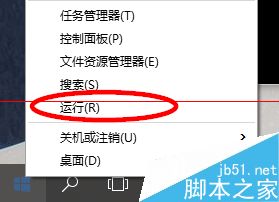
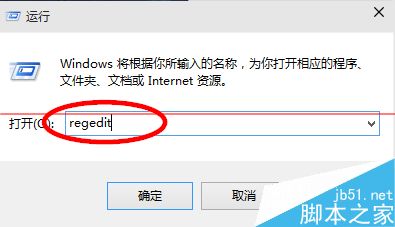
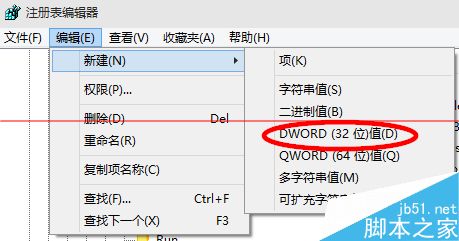
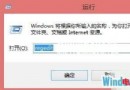
regedit
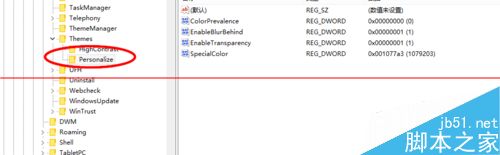
HKEY_CURRENT_USER\SOFTWARE\Microsoft\Windows\CurrentVersion\Themes\Personalize
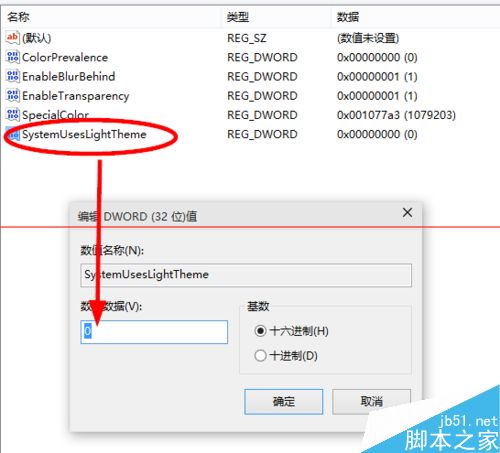
SystemUsesLightTheme
0
Windows 任務列自製「軟體工具箱」:資料夾 + 工具列 3 步驟完成
Win10 開不了軟體跳「檔案遺失」?相容模式一招搞定
Win10 Build 10130 工作列彈出視窗失效?微軟已釋出修補程式 KB3070365
Win8 GPT 磁碟建立 OEM 分區:DiskPart 指令與 GPT 屬性設定完整教學
Windows 10 預覽版下載與 USB 開機隨身碟製作完整指南:官方 ISO、產品金鑰、VirtualBox 安裝
Windows 10 提示「無法安裝此應用程式」?群組原則關閉安裝限制即可解決
Win7 設定 WiFi 安全金鑰(WPA2/WPA/WEP)完整教學,防蹭網必學
5 分鐘快速升級 Win10 教學:簡單高效升級流程