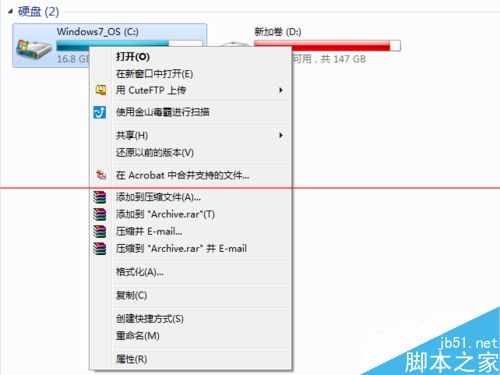
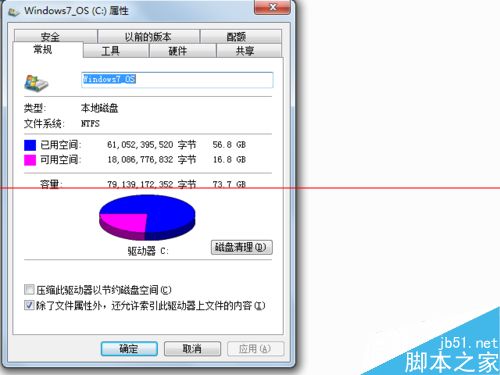
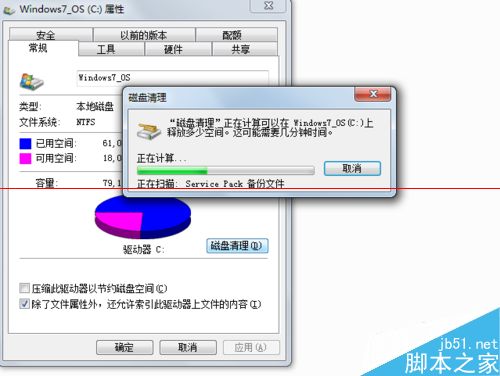
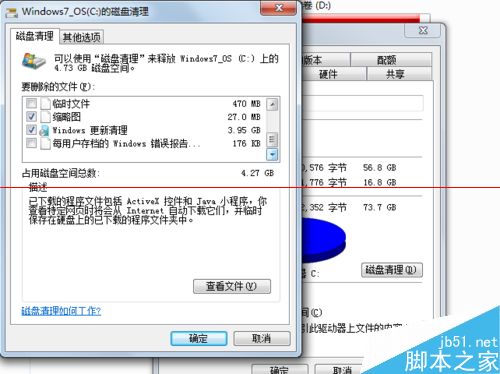
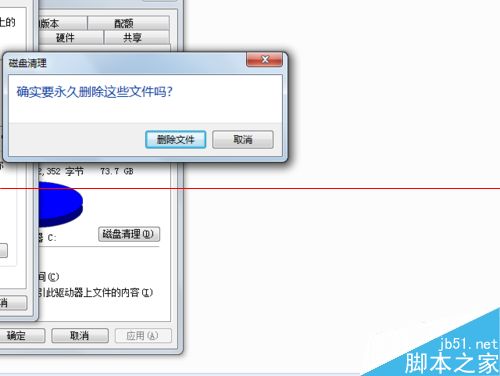
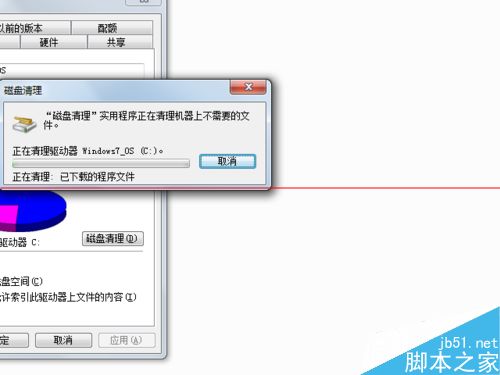
Win7 系統盤空間不足時,透過「磁碟清理」勾選「Windows Update 清理」可釋放大量補丁備份空間,另有臨時檔、日誌檔可清理。
Windows 系統執行軟體提示「Interface not supported」?安裝 MDAC 2.8 修復資料庫存取元件
Build 2016 前瞻:Win10 RedStone 1 (RS1) 新功能與發布時間深度解析
Windows 鍵盤 Win 鍵完整功能大全:10 個必學超實用快速鍵提升操作效率
Win10 創作者更新 15014 上手體驗:新功能與改進展示(含影片)
Win10 桌面顯示「這台電腦」、「網路」等系統圖示的設定教學
XP 與 Win7 互訪共享資料夾無權限?完整設定圖解
Win10 設定最佳螢幕解析度教學:透過設定 App → 系統 → 顯示 → 進階顯示設定
Win7 開機提示「Intel 快速儲存技術未在執行」?服務啟動、BIOS 模式、驅動重裝三步驟徹底解決