Win7 睡眠喚醒後出現黑屏無反應,常因網卡驅動喚醒異常導致。解決方法:
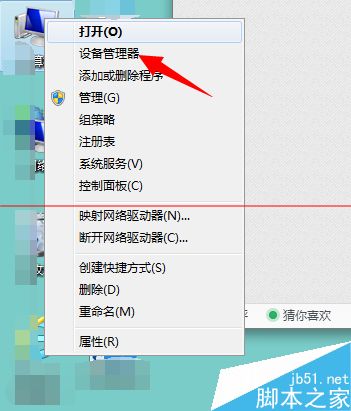
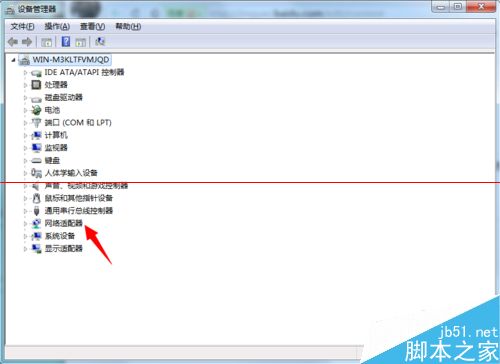
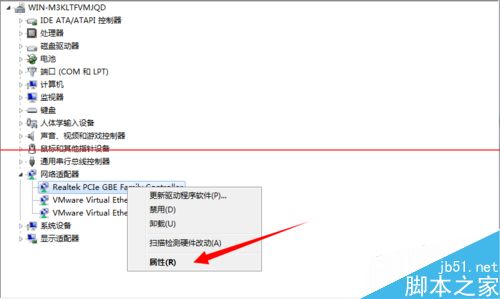
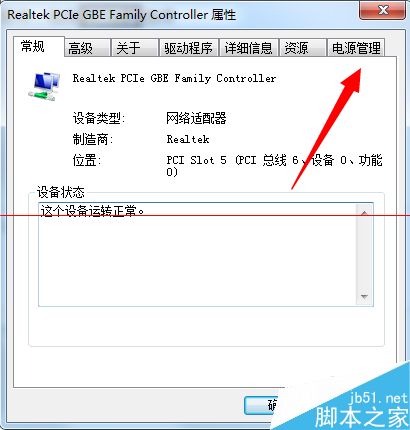
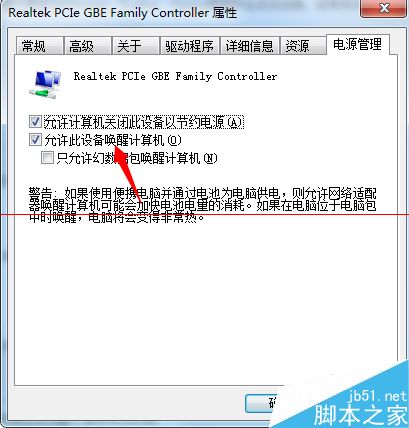
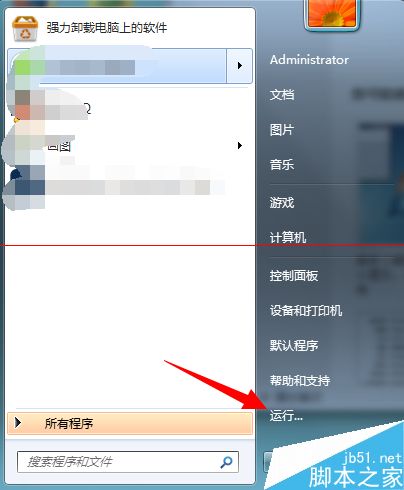
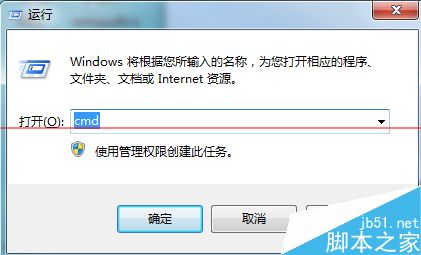
步驟:
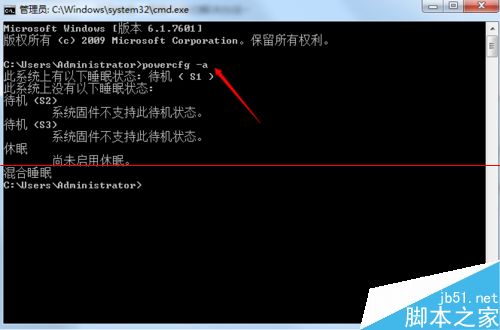
cmd,在命令提示字元輸入 powercfg -a 查看當前支援的睡眠狀態。此法可解決多數睡眠喚醒黑屏問題。
WinXP 安裝 DirectX 9.0 提示「無法信任安裝所需的壓縮檔案」完整解決方案
Win7 安裝 VMware vSphere Client 出現錯誤代碼 1935?強制關機重開機法修復
Win10 TH2 正式版 10586 官方 ESD 映像轉 ISO 完整教程:新版解密工具支援雙版本合一映像
Win10 10547 版無法執行《英雄聯盟》與《CF 穿越火線》?暫時解決方案
Win8/8.1 滑鼠右鍵卡頓/無回應:登錄表清理 ContextMenuHandlers 徹底解決
微軟向全體 Windows Insider 會員發送郵件通知:Win10 正式版發布