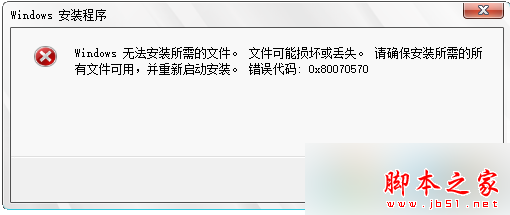
Win7 安裝時會建立隱藏分區,誤刪導致無法開機。修復步驟:
diskpart
list disk
select disk 0
create partition primary size=30531mb
active
format quick
謹記:刪除檔案或分區前務必確認,避免誤刪系統關鍵分區。
升級 Windows 10 後無聲音?四大解決方案:播放裝置、群組原則、驅動程式回滾、重新安裝驅動
Win10 右鍵選單樣式太大?修改登錄切換回傳統緊湊模式
Win10 安裝軟體相容性問題?右鍵設定相容模式為 Windows XP SP2/SP3 即可解決
Win7 家庭版、專業版、旗艦版差異比較,六大版本功能一次看懂
Win10 淘寶搜尋歷史怎麼刪?一鍵清除隱私關鍵字圖文教程
Windows 7 設定網卡連線速度與雙工模式,釋放寬頻完整效能
Win10 找回「Windows 體驗指數」評分:shell:Games 呼叫舊版遊戲 + winsat formal 重跑分
Win8 裝完顯卡驅動黑屏?關閉「快速啟動」恢復正常顯示完整教學