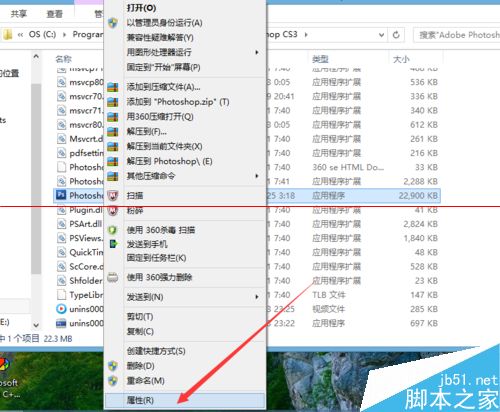
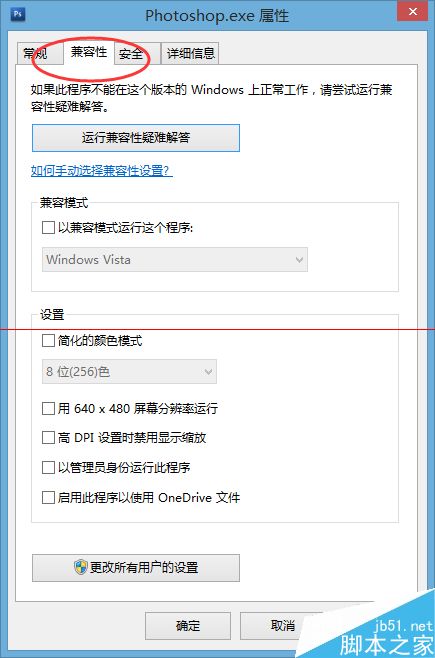
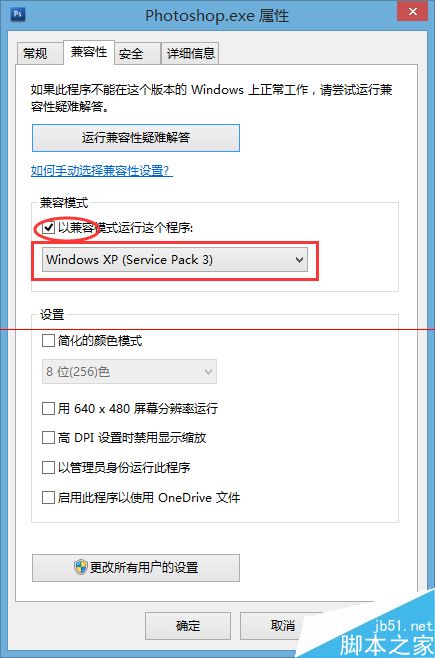
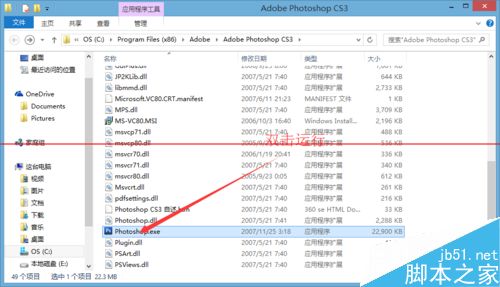
舊版軟體在 Win10 執行失敗,可嘗試設定相容模式:
相關推薦: Win10 自動偵測相容模式 | VMware 與 Hyper-V 不相容處理 | Win10 手機相容 Android APK 教學 | 升級 Win10 失敗安裝 KB2952664
Windows Server 2012 R2 Hyper-V 運行 Win 8.1 五大優勢:第二代 VM、VDI 重複資料刪除、儲存 QoS、VHDX 線上擴容、增強模式連線
清除 Windows 系統密碼教學:以 DOS 環境替換 SAM 檔案破解登入密碼
Win10 Build 10061 自製中文版 ISO 映像下載(由官方 ESD 轉製)
Win10 Cortana 怎麼改名字?完整設定與語音搜尋使用教學
Win10 顯卡驅動修改後失去數位簽章怎麼安裝?停用強制簽章驅動完整教學
Win10 桌面圖示改成 Win7/Win8 風格,找回熟悉手感