安裝 AMD 顯卡驅動後桌面右鍵選單多出「AMD Vision Engine Control Center」,不需者可移除:
cmd。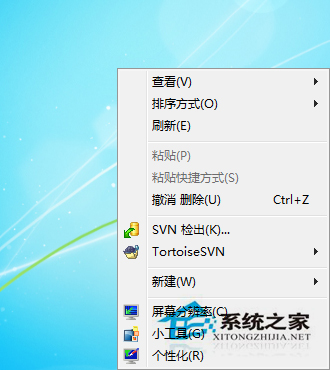
@reg delete HKEY_CLASSES_ROOT\Directory\Background\shellex\ContextMenuHandlers\ACE /f。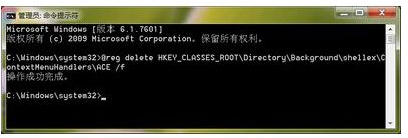
@reg add HKEY_CLASSES_ROOT\Directory\Background\shellex\ContextMenuHandlers\ACE /ve /d {5E2121EE-0300-11D4-8D3B-444553540000}移除後仍可從控制台進入 AMD 顯卡控制台,右鍵選單更乾淨。
XP 系統無法登入 iTunes 帳號、無法觀看已購影片:根因與唯一解方
Win10 TH2 秋季更新未經同意自動移除 CPU-Z、Speccy、AMD Catalyst 等應用程式,引發用戶隱私與控制權爭議
Win10 安裝 Win7 桌面小工具:下載 Desktop Gadgets Installer,解決 DPI 縮放導致顯示異常的修正方法
Win7 斷電重啟藍屏 protectsrv.sys?刪除異常驅動檔案即可修復
修復 Win10 Mobile 10536 側載 Android APK 失效:替換 wconnect 工具完整步驟