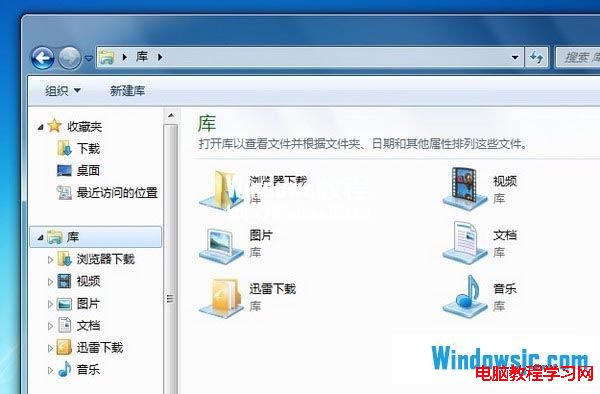
Windows 7 的資料夾圖示雖美觀,但長期面對相同樣貌難免乏味。其實 Windows 7「程式庫」資料夾的預設圖示可以自訂,讓您的檔案管理介面更具個人風格。
1、準備好要使用的圖示檔(.ico),放置於已知路徑備用。
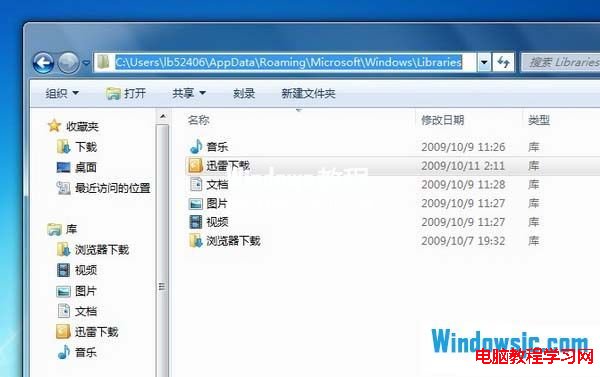
2、建立好對應的程式庫資料夾後,開啟路徑 X:\Users\<使用者名稱>\AppData\Roaming\Microsoft\Windows\Libraries(X 為系統碟),可見已建立的程式庫檔案(.library-ms)。用記事本開啟對應的程式庫檔案進行編輯(可將檔案拖曳至記事本開啟)。
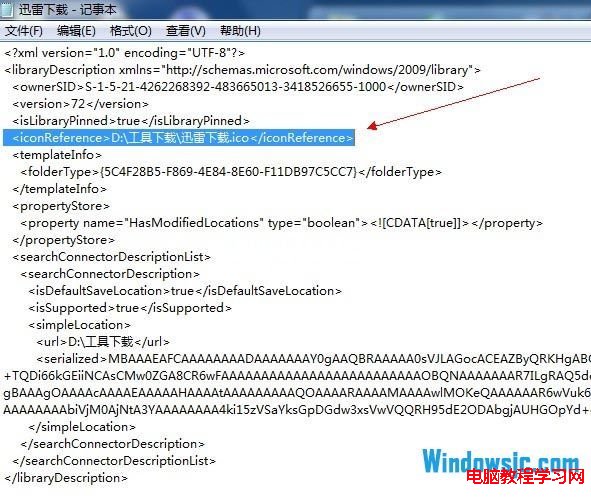
3、在檔案中加入指定圖示的絕對路徑代碼:<iconReference>圖示路徑</iconReference>,例如:<iconReference>D:\Tools\Download\icon.ico</iconReference>。
4、儲存檔案後,程式庫資料夾即會顯示自訂圖示。