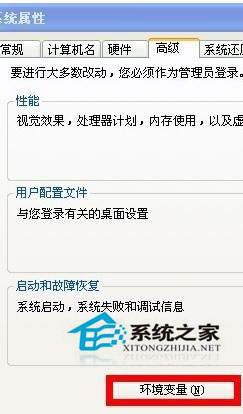
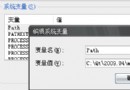
觀看影片、執行軟體產生暫存檔過多導致系統變慢,定期清理或更改路徑可改善。WinXP 修改暫存資料夾路徑:
TEMP
TMP
D:\Temp
設定完成後暫存檔集中管理,亦可定期清理單一資料夾,提升系統回應速度。高配電腦桌面檔案過多同樣會拖慢效能。
Win8.1 一鍵進入休眠模式捷徑建立教學:rundll32 指令法
微軟拚了:Win10 免費升級預約嵌入 Win8.1 安裝流程,桌面前就能預約
Windows 10 好用嗎?對比 Windows 8 十大亮點解析
Win8 開啟 Excel 提示「向程式傳送命令時出現問題」修復
Win8 Wi-Fi/飛行模式開關消失變「連線不可用」?裝置管理員啟用無線網卡即可恢復
Windows 10 伺服器版多張截圖曝光:管理工具豐富、安裝流程詳細
升級 Windows 10 後悔了?微軟給予 30 天降級寬限期可還原舊系統
Win10 Build 10125 官方 ISO 鏡像洩露下載(英文版)