IE 瀏覽網頁複製內容時彈出「允許此網頁存取剪貼板」提示,屏蔽方法:
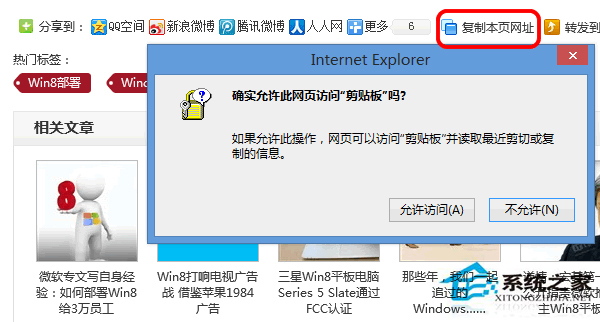
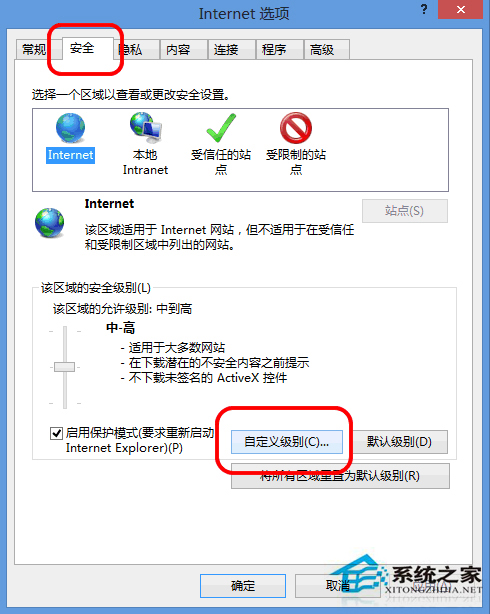
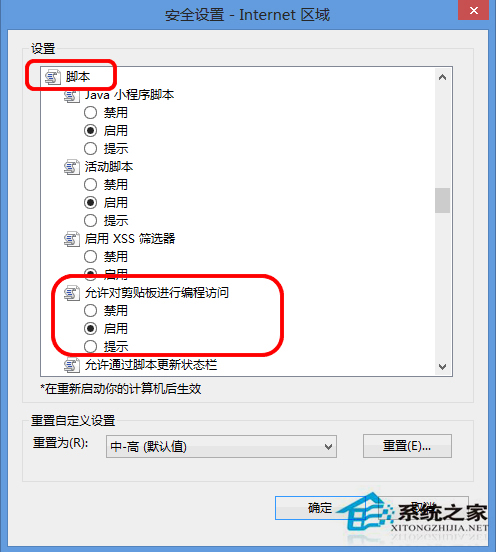
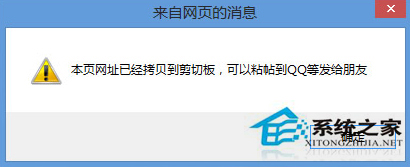
原因是預設禁止剪貼板存取,啟用後即不再彈出提示。
微軟發布免費線上應用開發工具 Microsoft App Studio:Windows 10 版 Beta 上線,支援跨裝置自適應
Win8.1 雙顯卡玩 GTA4 獨顯識別失敗深度分析:AMD 刪漢化檔 + NVIDIA 獨顯補丁 + commandline 參數強制顯存
Win10 離線安裝 .NET Framework 3.5 圖文教程:使用 DISM 與安裝映像快速部署
經典紙牌遊戲回歸 Windows 10,更多經典遊戲或將跟進
WinXP「應用程式發生異常 未知的軟體異常」原因分析與多重解決方案
Win10 10532 預覽版:Cortana 小娜新增澳洲、加拿大、日本三地支持