Windows XP Windows 7 Windows 2003 Windows Vista Windows 綜合教學 Linux 系統教學
Windows 10 Windows 8 Windows 2008 Windows NT Windows Server 電腦軟體教學
您现在的位置: Windows教程網 >> Windows教程 >  >> Windows 綜合教學 >> 關於 Windows

Win7 關閉多餘進程提速指南:工作管理員、命令列強制結束、ntsd 終極殺進程

編輯:關於 Windows

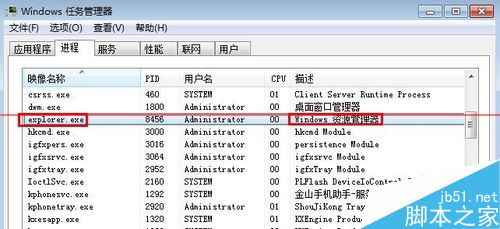
電腦變慢時,檢查並關閉佔用 CPU 高的無用進程能有效提速。但操作需謹慎,關閉核心進程(如 explorer.exe)會導致桌面消失。提供三級關閉方案:

第一級:工作管理員常規結束

  1. 任務列右鍵 → 「啟動工作管理員」。
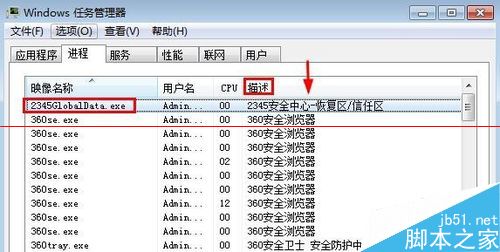
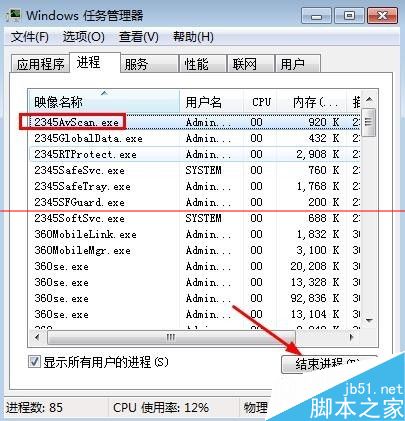
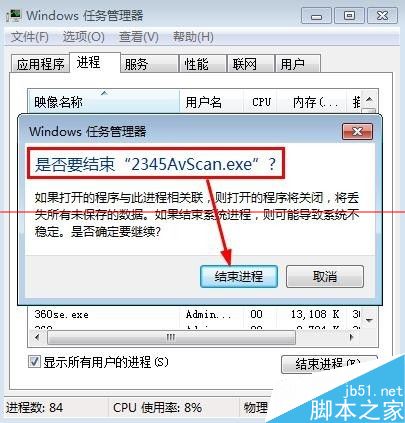
  2. 展開「描述」欄查看進程用途,選取目標進程 → 「結束程序」 → 確定。


第二級:命令列 taskkill 強制結束

  1. 無法在工作管理員關閉的進程,先嘗試解除安裝相關軟體(如安全工具)。
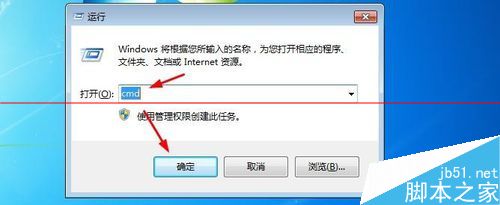
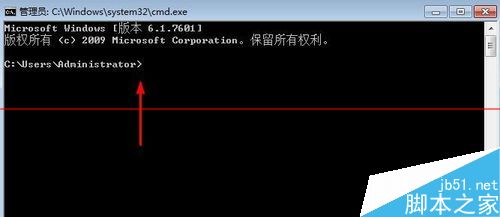
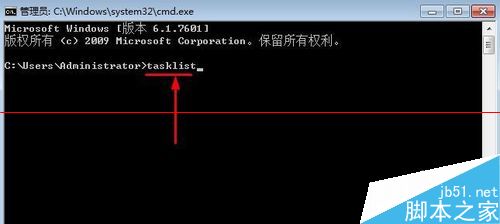
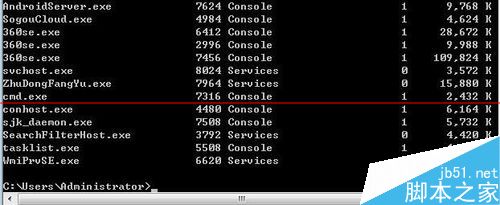
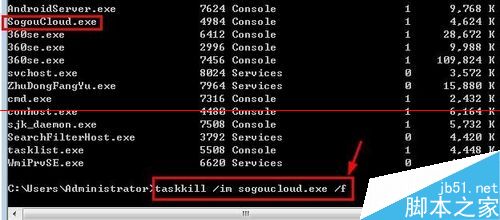
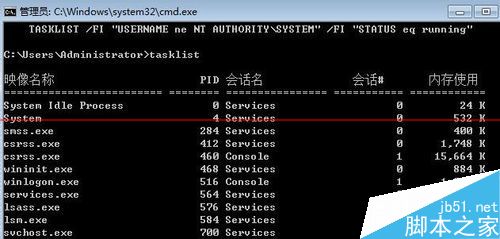
  2. Win+R → cmd → tasklist 查看進程列表。


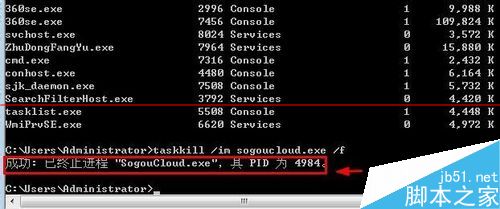
  3. 執行 taskkill /im 進程名稱 /f(/f 表強制)。

第三級:ntsd 依 PID 終極殺進程

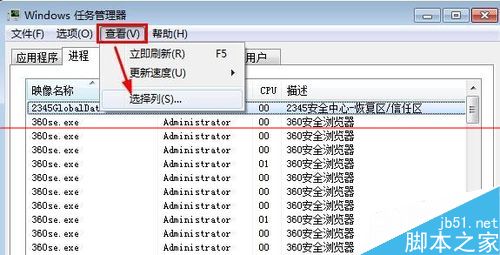
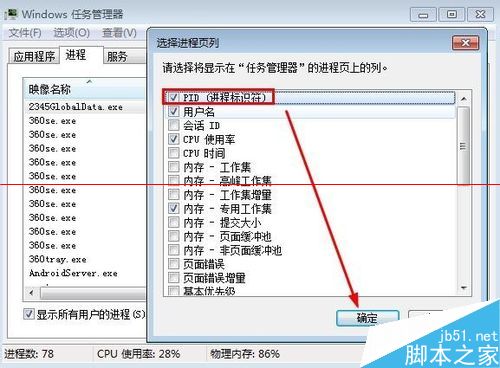
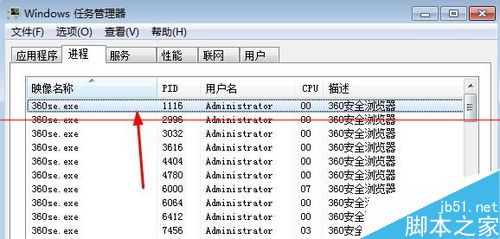
  1. 工作管理員 → 檢視 → 選擇欄位 → 勾選「PID (程序識別碼)」。


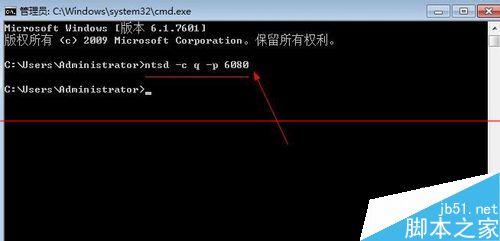
  2. 記下目標進程 PID → CMD 執行 ntsd -c q -p PID。

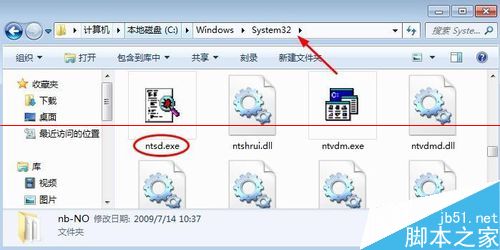
  3. 若系統缺 ntsd.exe,從網路下載放入 C:\Windows\System32。

警告:請勿隨意關閉系統核心進程,建議先建立還原點。

Copyright © Windows教程網 All Rights Reserved