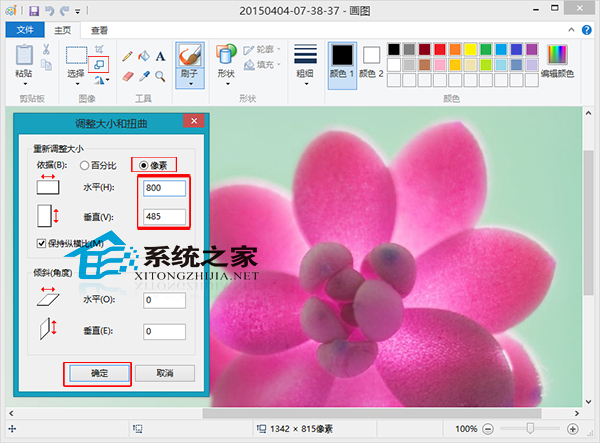
Windows 8 調整圖片尺寸無需安裝 Photoshop,內建畫圖工具即可:
畫圖工具應付調整尺寸綽綽有餘。
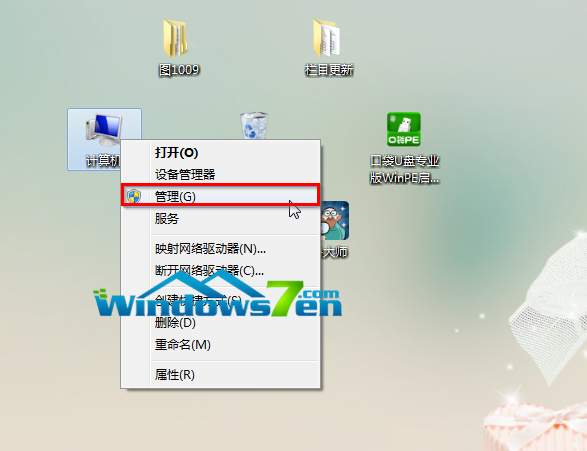
Windows 7 32 位系統磁碟代號錯亂完美解決方案:重新安裝並選擇「全新安裝」
Win7 一鍵還原圖文教學:系統還原功能完整操作指南
Win10 小娜 13 歲以下無法使用?修改微軟帳號出生日期解決
Win7 安裝 AutoCAD 2016 提示「安全系統無效」?啟用 FlexNet Licensing Service 64 服務解決
Win10 升級逾 30 天仍可無痛降級:保留 Windows.old 與 $Windows.~BT 資料夾關鍵技巧
Win10 小娜 Cortana 如何換成「饅頭」圖示?筆記本設定中一鍵切換
Win7 任務列通知區域如何顯示「隱藏圖示」三角按鈕?一鍵收納背景程式圖示
Win10 正式版錄音機在哪?怎麼打開 Win10 自帶的語音錄音機程式?