重灌系統後每次登入出現 Supervisory.exe 應用程式錯誤,雖不影響軟體使用但極度困擾。經測試,主因為隨系統預裝的 WinRAR 壓縮軟體版本相容性問題。
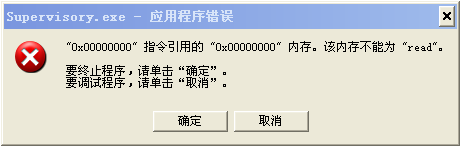
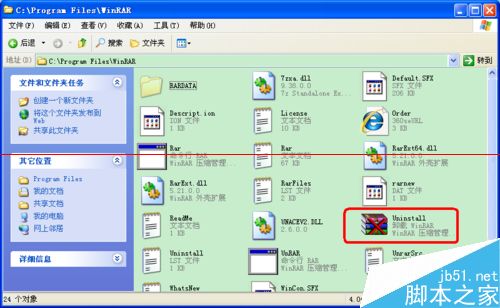
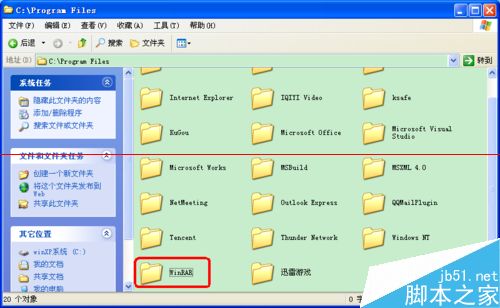
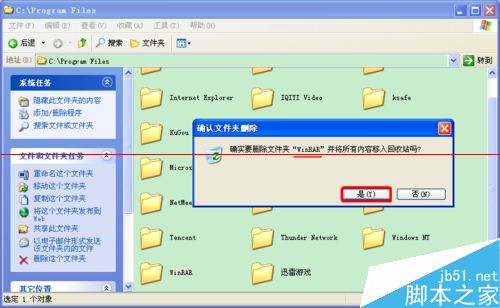
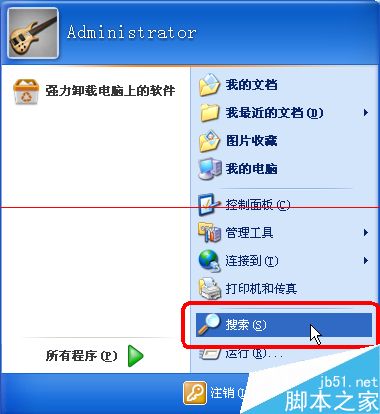
Supervisory.exe,全盤搜尋。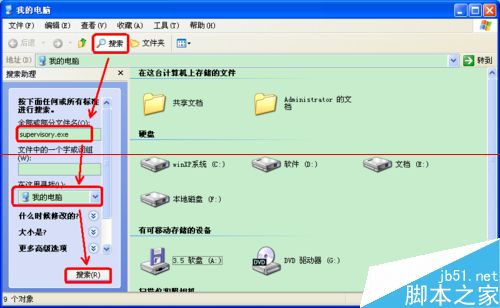
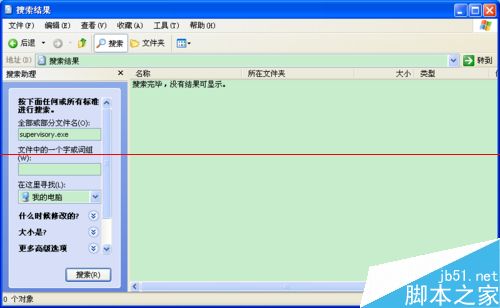
Ghost 版系統預裝的 WinRAR 於開機時嘗試執行監控功能,因引用錯誤觸發例外。卸載重裝或刪除故障檔案均可根治。
注意:若 WinRAR 資料夾內有重要檔案,請先備份再操作。
Win7 連 WiFi 訊號弱三大解決方案:調整路由器功率、位置、排除干擾
Win10 15007 Edge 崩潰、音訊消失、高 CPU/磁碟:刪除 Spectrum PersistedSpatialAnchors 資料夾修復
微軟如何決定哪些 Win10 Build 推送給大眾?Flight Level 機制揭秘
Windows 10 新版登入介面 (Build 9888/9901) 登錄檔啟用體驗:Threshold=1 解鎖現代化登入畫面
Win8/8.1 中文語言環境新增「美式鍵盤」實現 Ctrl+Shift 切換
Win10 RS1 11082 升級後 Windows Hello 指紋辨識資料遺失?微軟尚無修復方案