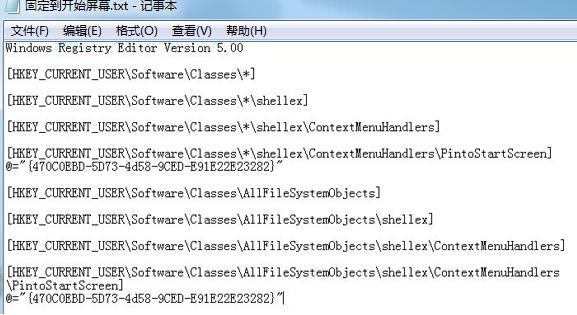
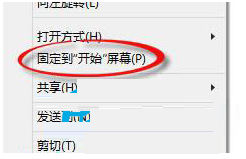
Win8.1右鍵選單「釘選到開始畫面」預設不支援音樂、圖片、壓縮檔等檔案類型。透過匯入REG檔可全域啟用:
.reg
原理為修改檔案類型關聯登錄,新增 ShellEx\ContextMenuHandlers 相關鍵值。操作前建議備份登錄。
ShellEx\ContextMenuHandlers
Win10 正式版自動更新出錯需重啟?DNS 優化 + 禁用更新 + 安全模式修復三重方案
Win10 透過開始選單開啟畫圖工具:預設列表與 Windows 附屬應用程式兩條路徑
Win8.1 微軟拼音輸入法隱藏中英切換懸浮按鈕,避免遮擋驗證碼
Win10 預覽版 11082 檔案傳輸進度條消失?微軟確認下一版修復
Windows 10 圖示顯示異常/空白?手動重建 IconCache.db 快取修復
Win10 會員收不到預覽版推送?UAC 設定過高導致,調整為第二級即可修復
Win10 版 Firefox 瀏覽器怎麼用?Mozilla 承諾體驗優於 Edge
Win8.1 關閉動態磚 讓開始畫面更安靜