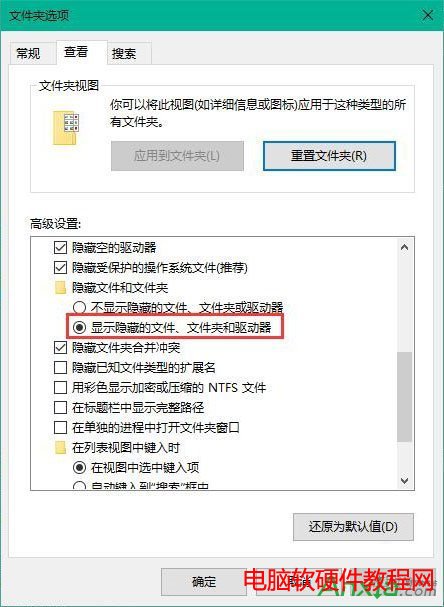
Win 10 圖示顯示錯誤(空白、預設未知圖示、錯誤圖示)主因是圖示快取 IconCache.db 損毀。系統無一鍵重建功能,需手動刪除快取檔並重開機自動重建。
IconCache.db
%localappdata%
同樣適用 Win 7/8/8.1,快取路徑相同(%localappdata%\IconCache.db)。
%localappdata%\IconCache.db
Windows 7 禁用視窗自動排列(Aero Snap)功能
Win8.1 錄音檔案預設儲存位置在哪?快速找回錄音機錄音檔教學
Win10 如何安裝 Java (JDK)?圖文教學避開「非 C 槽安裝失敗」陷阱
Windows 7 檔案無法複製貼上?鍵盤滑鼠皆失效,三步驟修復磁碟錯誤恢復正常
SkyDriveSetup.exe 非有效 Win32 應用程式:XP/Server 2003 不支援,或安裝檔損壞
部分 Win10 使用者回報:升級後耗電加快、發熱嚴重、續航力大幅下降
Win7 安裝軟體時 IE 提示「禁止安裝無效簽章」?在網際網路選項允許安裝無效簽章軟體
WinXP 登錄表被惡意網頁 ActiveX 鎖定?用 HTML 檔案反制解鎖