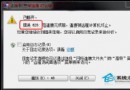
Windows 7 在安裝某些未簽章或簽章無效的 ActiveX 元件/軟體時,IE 會攔截並提示「禁止安裝無效簽章」。可在 IE 設定中放寬此限制。
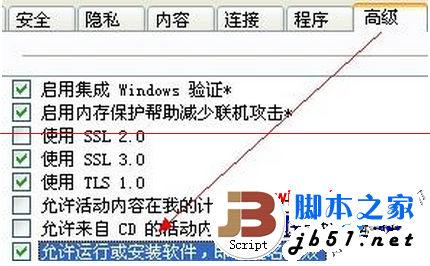
注意:啟用此選項會降低系統安全性,安裝完成後建議取消勾選恢復預設保護。僅在確信軟體來源可信時暫時開啟。
Win10 提示「啟用 Windows 10,前往設定啟用」的原因與完整解決方案
Windows 10 週年更新 1607 ISO 映像檔下載大全 (含安裝金鑰)
Windows 無法連接到 System Event Notification Service 服務解決方案
Win10 如何安裝 Windows 平板版 QQ 4.0 內測版?PowerShell 側載安裝完整教學
Windows 10 快速鍵大全:虛擬桌面、小娜、遊戲錄製、動作中心一鍵直達
Win10 開始選單、Cortana、IE 等系統應用無法開啟或閃退?兩種快速修復法