Windows XP Windows 7 Windows 2003 Windows Vista Windows 綜合教學 Linux 系統教學
Windows 10 Windows 8 Windows 2008 Windows NT Windows Server 電腦軟體教學
您现在的位置: Windows教程網 >> Windows教程 >  >> Windows 綜合教學 >> 關於 Windows

Windows 10 定時關機完整教學:指令、工作排程器、批次檔、第三方工具四大法

編輯:關於 Windows

Windows 10 內建強大的定時關機功能,無需第三方軟體。本文詳細介紹四種方法,推薦優先使用 shutdown 指令與工作排程器。

核心指令

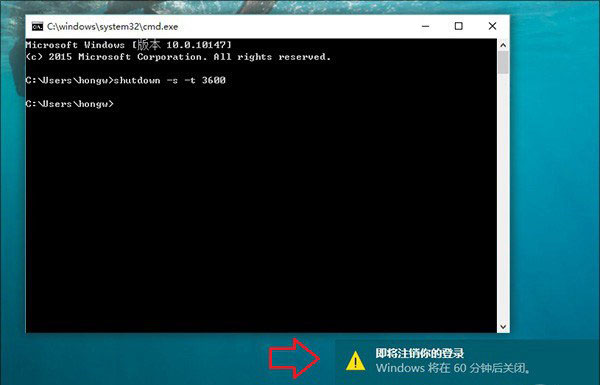
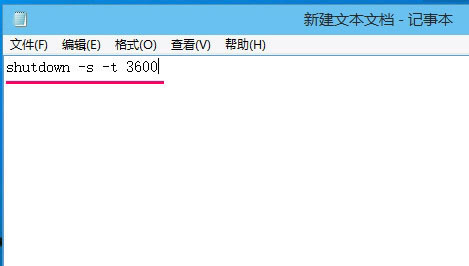
  • 定時關機: shutdown -s -t 秒數 (例:shutdown -s -t 3600 1小時後關機)
  • 取消關機: shutdown -a
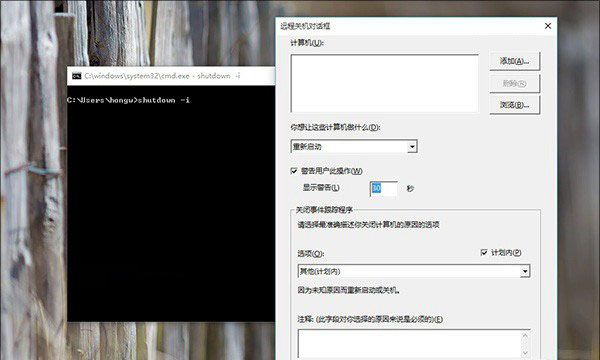
  • 圖形化介面: shutdown -i (開啟遠端關機對話框,可加入多台電腦排程)

方法一:命令提示字元 / 執行 對話框直接輸入

Win+R 輸入 cmd 或直接在「執行」輸入指令執行。

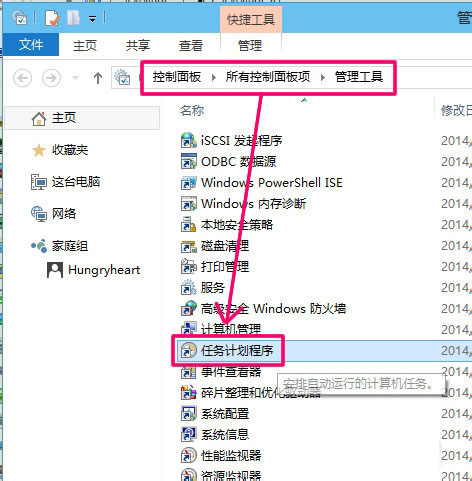
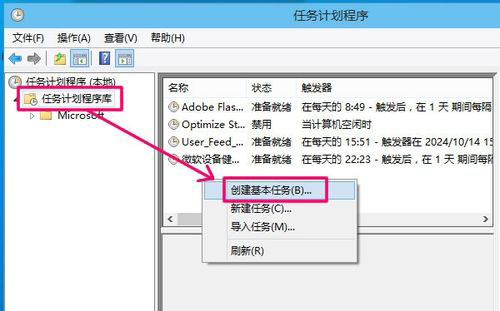
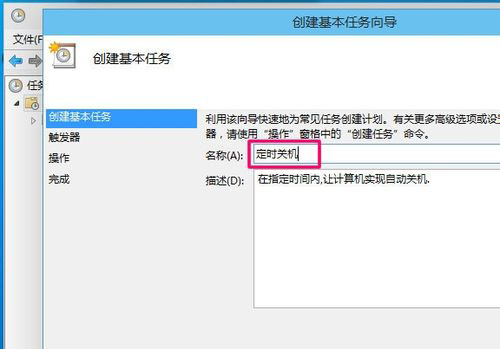
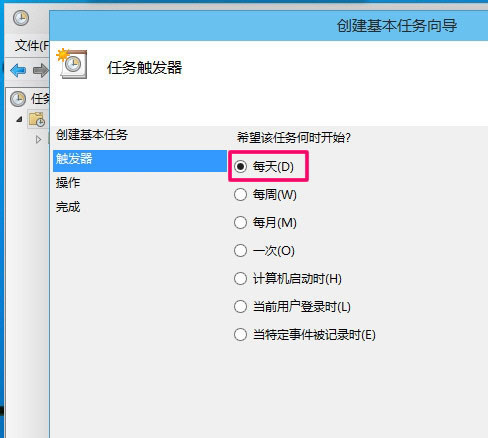
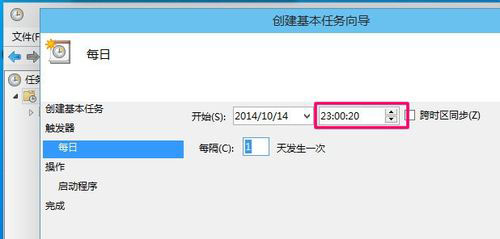
方法二:工作排程器 (建立固定排程)

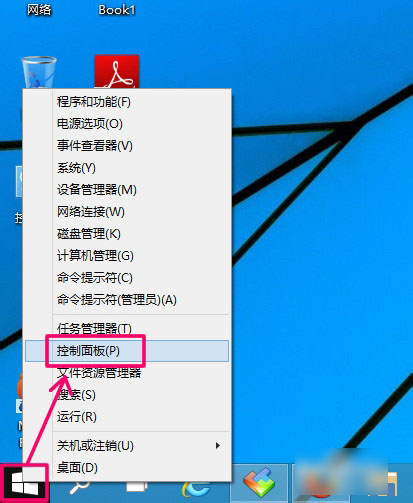
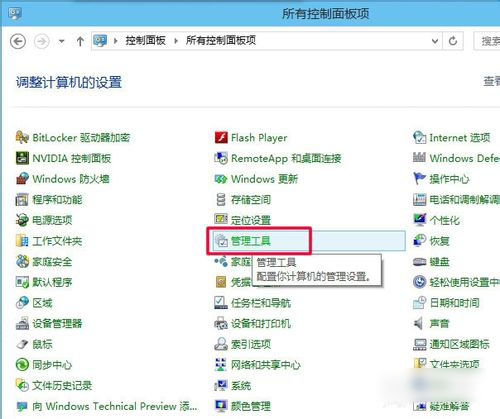
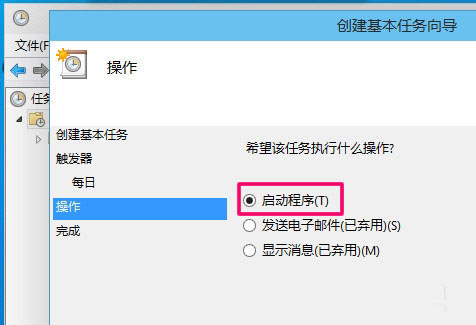
  1. 控制台 → 管理工具 → 工作排程器 → 「建立基本工作」。
  2. 命名、選擇「每天」觸發、設定執行時間 (如 23:00)。
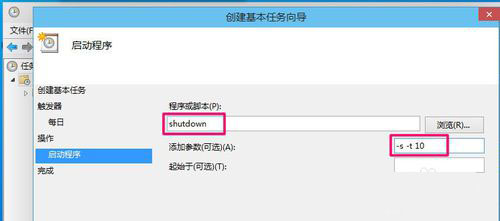
  3. 動作選「啟動程式」:程式 shutdown,引數 -s -t 10 (23:00 後 10 秒關機)。
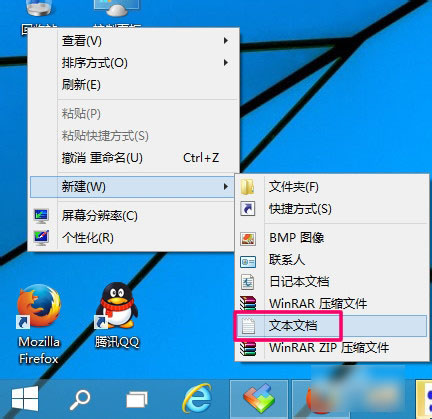
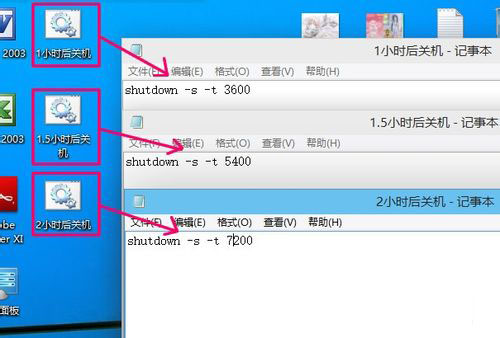
方法三:批次檔 (.bat) 彈性指定倒數時間

  1. 新建文字文件,輸入 shutdown -s -t 3600 (1小時後關機)。
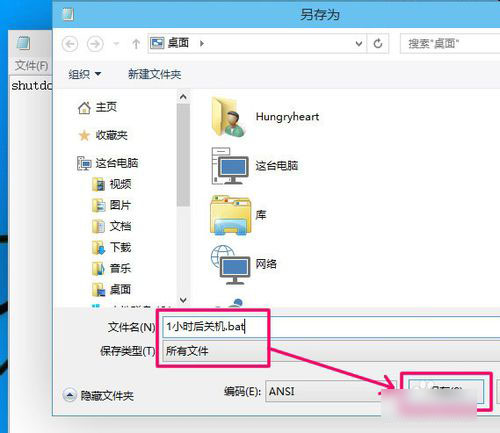
  2. 另存為 xxx.bat (類型選「所有檔案」)。
  3. 雙擊執行即生效。可建立多個不同時長的 .bat 檔備用。

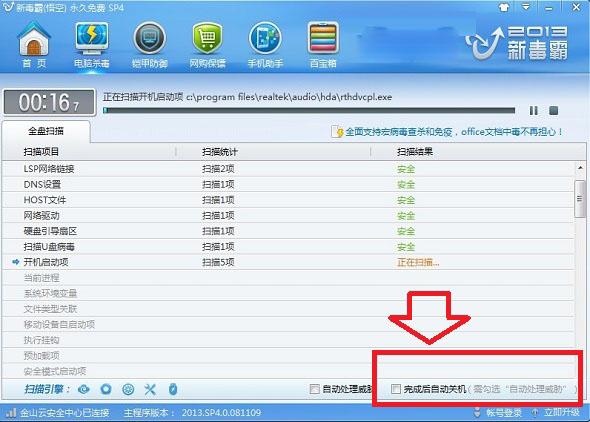
方法四:迅雷、360 等工具內建「完成後關機」

下載/掃毒完成勾選「自動關機」,適用特定場景。

補充:取消已排程關機

Win+R 輸入 shutdown -a 即可取消。

建議:優先使用內建指令/排程器,安全無廣告;第三方小工具常捆綁推廣軟體,不推薦。

Copyright © Windows教程網 All Rights Reserved