Windows XP Windows 7 Windows 2003 Windows Vista Windows 綜合教學 Linux 系統教學
Windows 10 Windows 8 Windows 2008 Windows NT Windows Server 電腦軟體教學
您现在的位置: Windows教程網 >> Windows教程 >  >> Windows 綜合教學 >> 關於 Windows

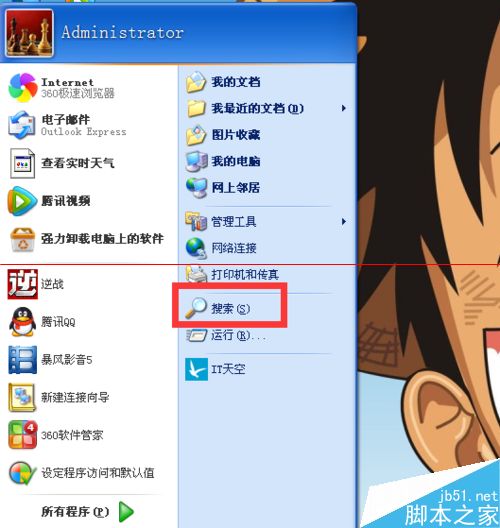
Windows 開始選單搜尋框消失?兩種方法快速找回

編輯:關於 Windows

開始選單搜尋框不見了?可能是被隱藏或群組原則關閉。提供兩種圖文教學快速恢復搜尋功能。

方法一:開始選單自訂設定

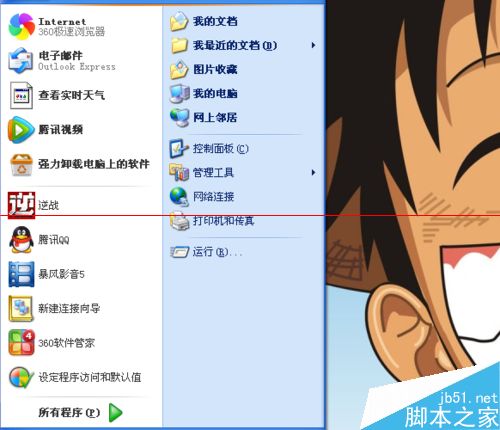
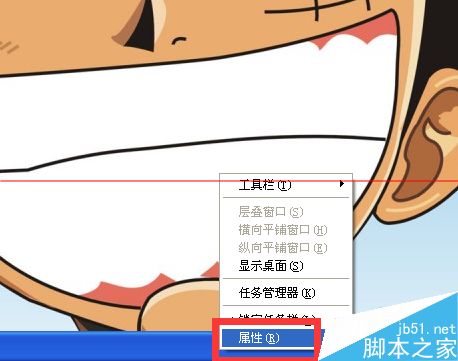
  1. 右鍵工作列 → 「屬性」。
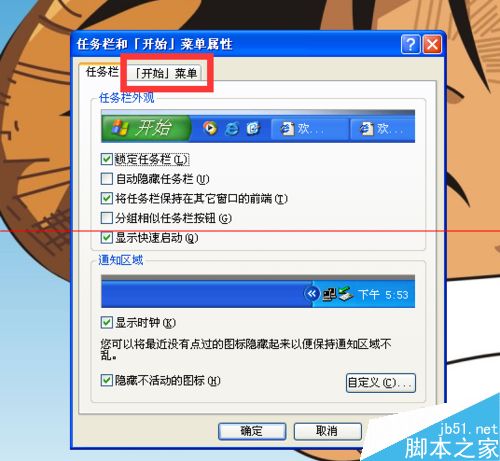
  2. 切換「開始選單」頁籤 → 「自訂」。
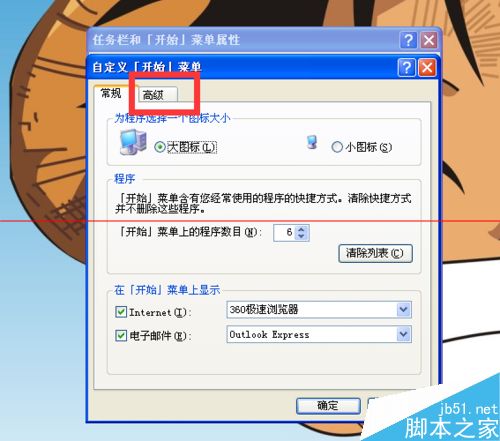
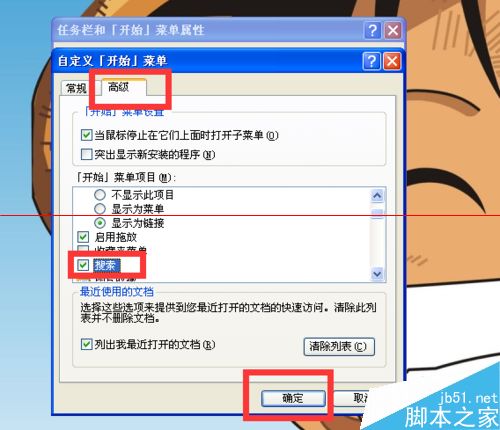
  3. 選擇「進階」頁籤 → 在「開始選單項目」勾選「搜尋」 → 確定。

方法二:群組原則編輯器 (適用專業版/企業版)

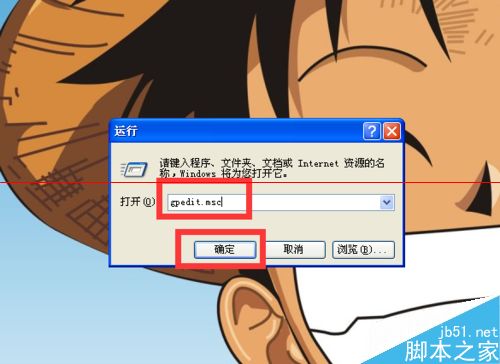
  1. Win+R 輸入 gpedit.msc 開啟群組原則。
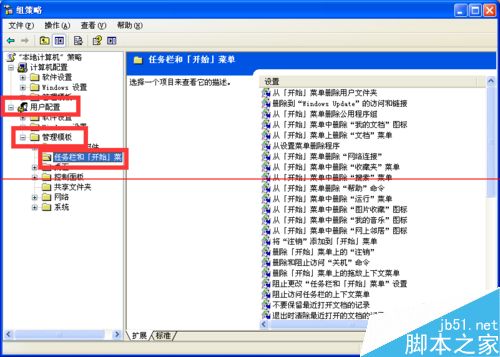
  2. 展開「使用者設定」→「系統管理範本」→「工作列和開始選單」。
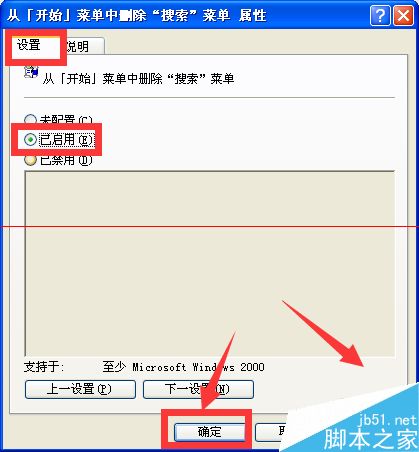
  3. 找到「從開始選單移除搜尋」 → 右鍵「屬性」 → 設為「未設定」 → 套用/確定。
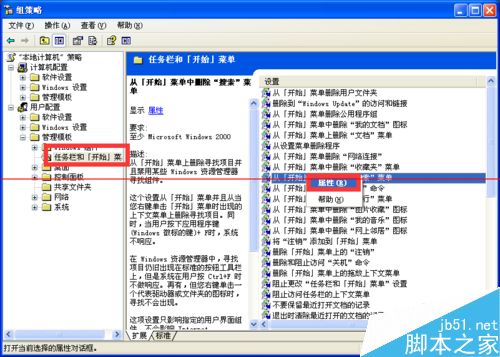
完成後搜尋框即會重新出現,恢復快速搜尋便利性。
Copyright © Windows教程網 All Rights Reserved