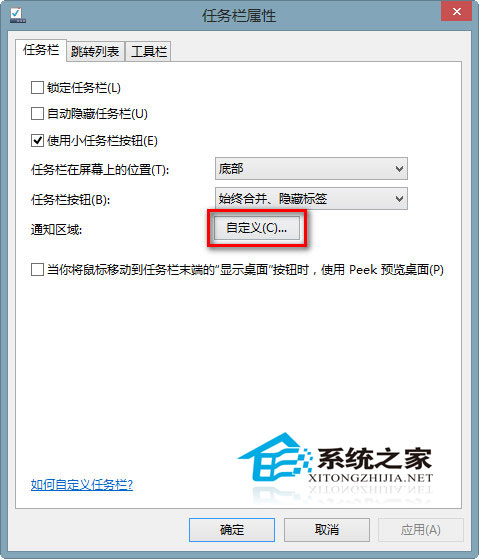
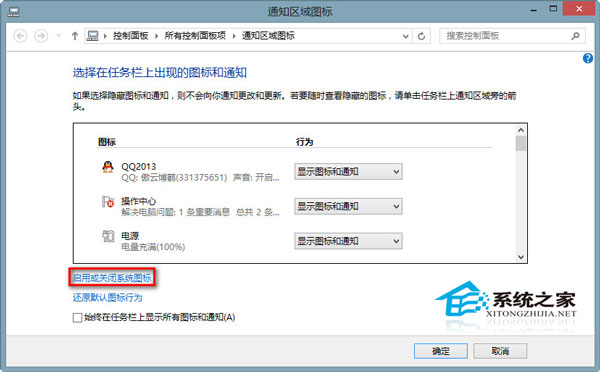
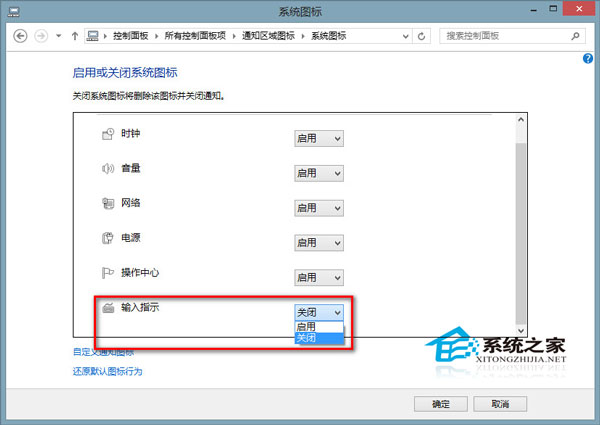
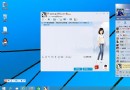
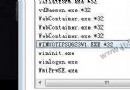
Win8/8.1 任務列通知區域輸入法圖示不見,且熱鍵無法切換輸入法。透過任務列屬性啟用「輸入指示器」即可恢復。
檢查 C:\Windows\System32\LogFiles 是否有 Scm 資料夾,若無請手動建立 Scm 資料夾後重開機,即可徹底解決。
C:\Windows\System32\LogFiles
Scm
此問題高發於 Win8/8.1,上述方法可完整恢復輸入法圖示與切換功能。
Win10 Build 10120 Edge 瀏覽器新增新分頁特性:搜尋列、常用網站、新聞、天氣
覆蓋安裝 Win7 後移除殘留開機選單:msconfig 與 bcdedit 雙法
Win10 Build 10240 UAC Bug:不降低桌面亮度導致 Modern 應用授權對話框被遮擋
Win10 磁碟重組完整圖文教學:優化硬碟效能的關鍵步驟
Windows 7 系統優化完整指南:關閉系統還原、移動虛擬記憶體、關閉休眠三大核心技巧
Win7 登錄表開機啟動項如何開啟?Regedit 瀏覽 Run 鍵值檢視啟動程式
Win10 PC 版地圖定位不準?微軟解釋:無 Wi-Fi 時僅靠 IP 定位,誤差大屬正常,Wi-Fi 輔助定位優化更新在途
調整 Windows 8 視窗標題列字型大小與粗體:個人化外觀微調