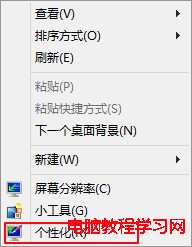
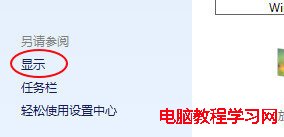
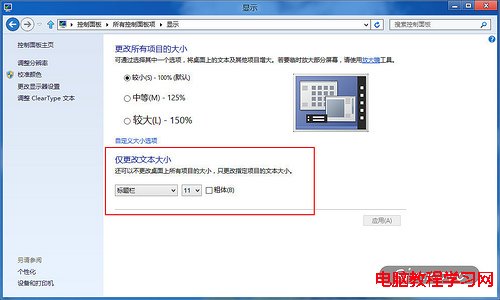
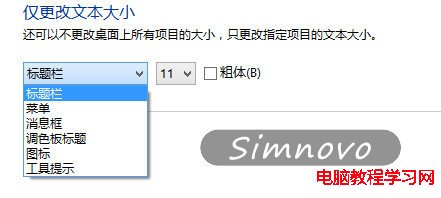
Windows 8 允許獨立調整標題列、選單、訊息方塊、調色板標題、圖示、工具提示等介面元素的字型大小與粗體。本文教您:桌面右鍵 → 「個人化」 → 左下角「顯示」 → 在「只變更文字大小」區塊選擇「標題列」 → 調整大小(預設 9、可改 10~12)與勾選「粗體」 → 套用,即可依視力需求微調介面文字易讀度。
Win10 累積更新 KB3206309 推送至 Build 14986.1001,內容神秘疑與 Windows Defender 相關
Windows 8 高級啟動選單遺失「自動修復」:三條命令列指令快速恢復
解決 Windows 10 藍屏 system_service_exception (atikmdag.sys):顯示卡驅動程式衝突修復
Win10 正式版相容性問題頻傳:騰訊、360 官方公告暫停升級服務
Win7 藍屏錯誤代碼 0x0000003B 完整解決教學
Windows 10 Build 9926 純淨安裝介面圖賞:8 分鐘極速完成
Win7 關閉自動磁碟重組服務圖文教學:釋放系統資源
Windows 7 清除 Firefox 快取檔案教學