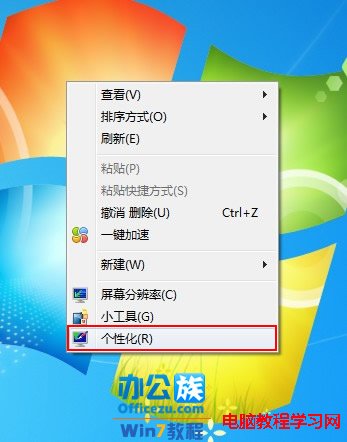
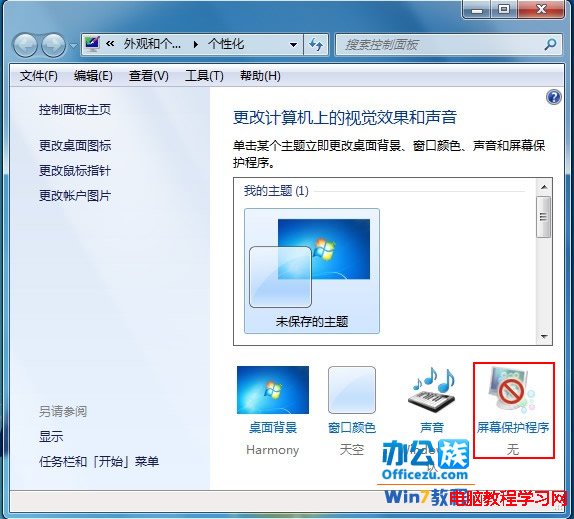
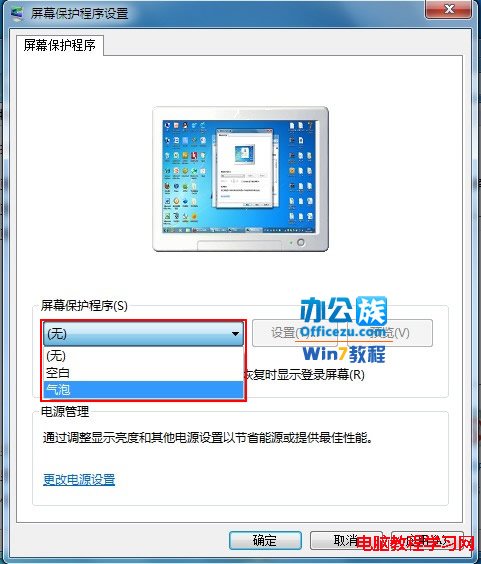
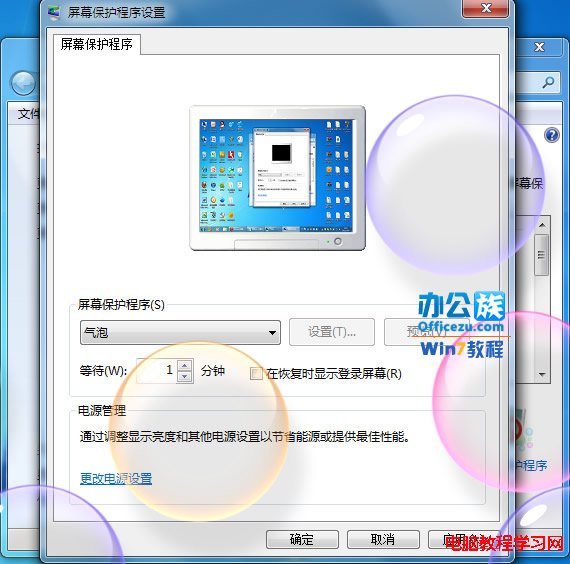
習慣 XP 的用戶在 Win7 找不到螢幕保護程式設定?實在「個人化」裡:
幾步驟完成,XP 用戶也能快速上手 Win7 螢幕保護程式設定。
未啟動 Win10 如何美化桌面?告別「素顏」完整教學
Win10 隱藏圖示找不到了?檔案總管「檢視」勾選「隱藏的項目」找回教學
Win10 Mobile 10136 已修復問題大全:MMS Bug、鎖定畫面觸控、通知中心展開、人脈字體、Wi-Fi 快速切換、開始畫面縮放、鎖定畫面詳細狀態、返回鍵游標
Win8.1 安裝 iTunes 提示「Windows Installer 套件有問題」?徹底清理殘留後重裝即可
Win10 HDMI 轉 VGA 有畫面無聲音?變更預設播放裝置秒解決
Win8.1 IE 網頁無法記住密碼?Internet 選項完整調整啟用表單自動完成
Windows 7 開始功能表「附件」消失?一招找回預設捷徑
Win7 如何還原系統預設照片檢視器開啟圖片?移除第三方看圖軟體即可