Win8.1 安裝 iTunes 時彈出「此 Windows Installer 軟體包有一個問題」,多半因舊版本殘留檔案/登錄導致衝突。依照蘋果官方順序徹底移除後重裝最新版即可解決。
移除完成後重新開機,再下載安裝最新版 iTunes。
regedit,搜尋 Apple Software Update。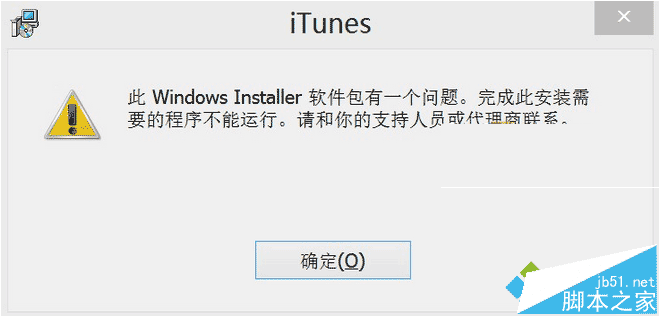
若以上仍無效,建議嘗試 Win8.1 純淨版環境安裝。
Win7/8.1 未收到 Win10 推送別急:微軟分批推送,$Windows.~BT 資料夾大小判斷下載進度
Windows Server 2003 今年 7 月停止支援,微軟呼籲遷移至 Server 2012 R2/Azure/Office 365
Win8 Modern 應用離線安裝完整教學:開發人員授權 + 手動封裝 .appx + 憑證簽署
Win7 藍屏 0x000000C5 錯誤解決:B150 主機板必開 Intel 虛擬化技術
Windows 10 IoT Core 10586 預覽版下載:支援 Raspberry Pi 2、MinnowBoard Max、DragonBoard 410c 三大開發板
Win7 錄製電腦內部聲音(立體聲混音)完整設定教程:無需外接線材
Win8 系統盤空間越來越少?深度清理休眠檔、分頁檔、Modern Apps 快取
Windows 10 Mobile 10512/10166 越獄突破:可修改登錄、移除旁載限制,僅支援 Lumia 與三星裝置