習慣將檔案暫放桌面會佔用 C 槽空間。Win7 可透過資料夾屬性「位置」索引標籤將桌面資料夾移至其他分割區。
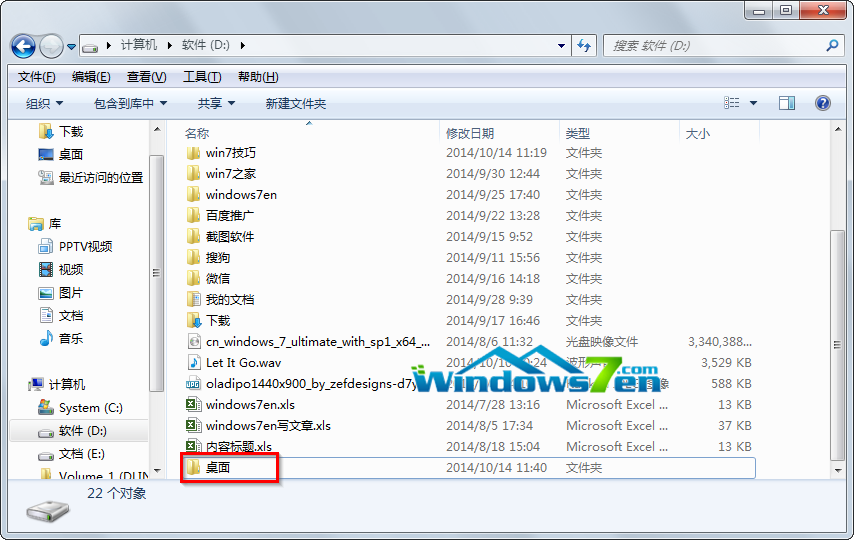
C:\Users\你的帳號\Desktop → 右鍵「內容」 → 「位置」索引標籤。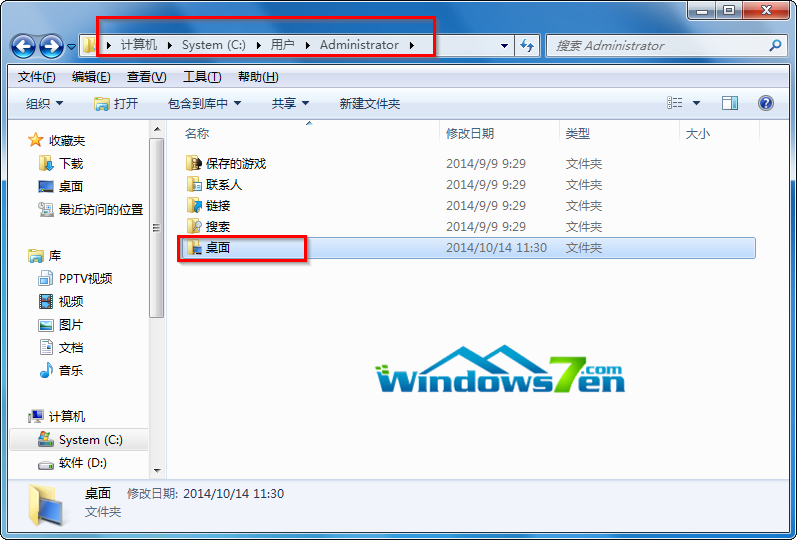
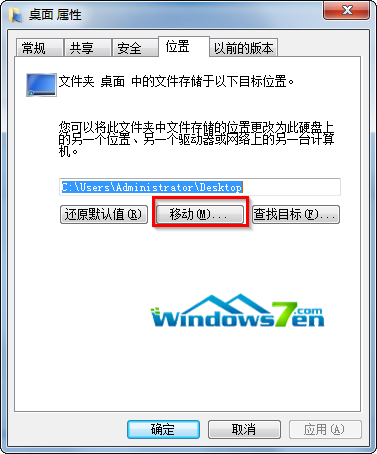
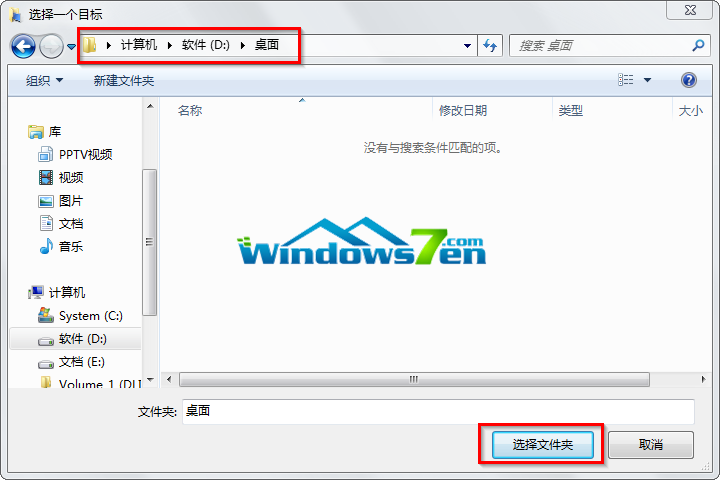
注意:移動前請關閉所有桌面開啟的檔案/程式。移動後桌面捷徑仍正常運作,實體檔案已存放於 D 槽,不再佔用系統盤空間。
Windows 7/8.1 升級 Win10 後持續閃屏?進入安全模式停用兩項錯誤回報服務解決
Win10 Build 9901 Storage Sense 存储感知增强:可自定义应用/文档/音乐/图片/游戏默认保存位置,支持 SD 卡扩展
Win7 無法安裝農行網銀憑證?調整 IE 安全性設定啟用 ActiveX 即可
Win10 如何關閉 Wi-Fi 感知功能?設定 → 網路與網際網路 → 管理 Wi-Fi 設定 關閉自動連線與聯絡人共享網路
Win10 新增/重新命名資料夾卡死?清除總管歷史記錄即可解決