Windows XP Windows 7 Windows 2003 Windows Vista Windows 綜合教學 Linux 系統教學
Windows 10 Windows 8 Windows 2008 Windows NT Windows Server 電腦軟體教學
您现在的位置: Windows教程網 >> Windows教程 >  >> Windows 綜合教學 >> 關於 Windows

Windows 8.1 收不到 Windows 10 免費升級圖示?檢查 KB3035583 更新並手動觸發 GWX 程序

編輯:關於 Windows

Windows 7/8.1 應自動推送「取得 Windows 10」通知,但部分情況收不到。解決方法如下:
步驟 1:確認 KB3035583 是否已安裝

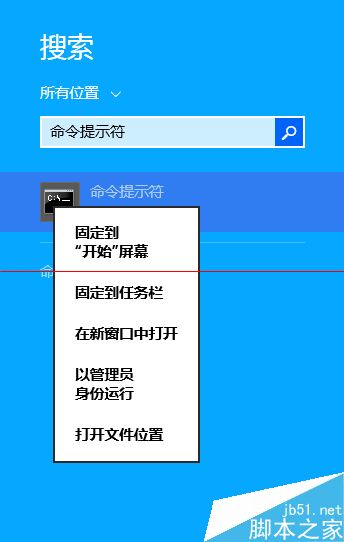
  1. 開啟「命令提示字元(系統管理員)」。
    管理員命令提示字元
  2. 執行指令:
    dism /online /Get-Packages /Format:Table|findstr 3035583
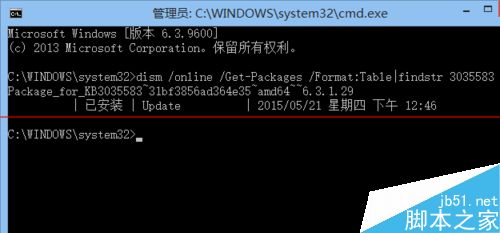
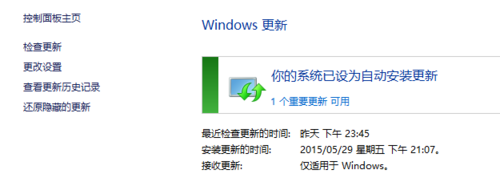
    顯示「已安裝」表示有裝,無顯示則未安裝。
    查詢 KB3035583

步驟 2:若未安裝,透過 Windows Update 安裝 KB3035583 並重開機

Windows Update 安裝 KB3035583

步驟 3:手動觸發 GWX 通知程序

再次以管理員身分開啟命令提示字元,執行:
%windir%\system32\GWX\GWXConfigManager.exe /RefreshConfig&ping 127.0.0.1>nul&%windir%\system32\GWX\GWX.exe
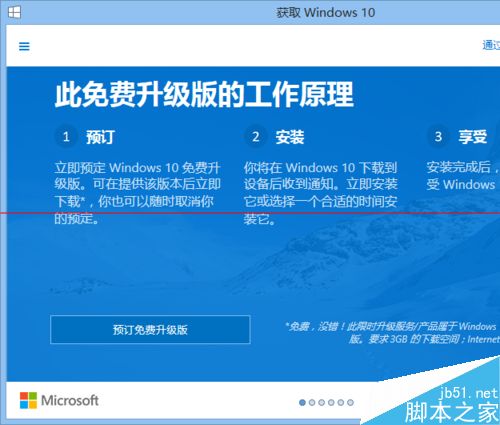
執行 GWX 指令
GWX 圖示出現

執行後任務列右側應出現 Windows 10 升級圖示,即可預約免費升級。

Copyright © Windows教程網 All Rights Reserved