Build 10240 開啟 Windows Update 顯示「獲取會員版本」,點選「修復」出現錯誤碼 0x80310052。官方修復步驟:
wuauserv 服務(按 W、U 鍵快速定位)。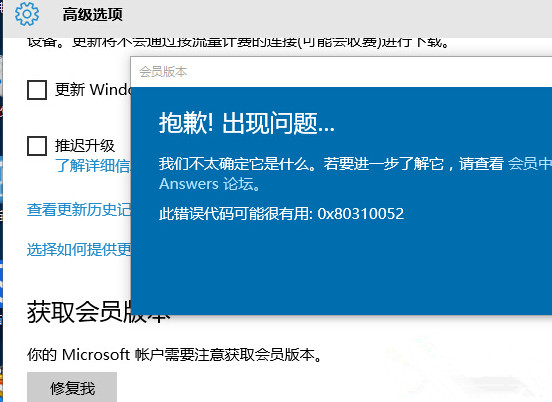
前提條件:已登入 Windows Insider 會員帳號、網路環境正常(可嘗試切換網路)。
微軟:Win 10 將禁止特定防毒軟體與深度嵌入系統的舊遊戲運行,SecuROM/SafeDisc DRM 受影響
Win10 右鍵選單彈出緩慢?清理 ContextMenuHandlers 註冊表項立即加速
WP8.1/Win10/PC 三平台密碼管理器 Enpass 限時免費:軍規加密、離線儲存、雲端同步、瀏覽器自動填表
Windows 7 管理無線網路設定教學:新增、刪除、優先序調整、IP 設定
Windows XP 如何徹底移除 GoogleUpdate.exe 背景程序?刪除排程任務即可根治
微軟升級策略再激進:Win7/8.1 僅剩「立即升級」與「今晚升級」兩選項,關閉鈕成唯一拒絕路徑