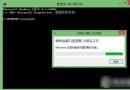
許多用戶從 10162 升級 10240 卡在「正在安裝功能和驅動程式 91%,總進度 71%」。解決方法極簡單:
原理:安裝階段可能需從伺服器抓取檔案,斷網可跳過該步驟讓升級繼續。遇到此進度卡住者可嘗試斷網法。
Win7 滑鼠左右鍵功能互換怎麼解決?控制台設定法
Windows 7 系統封裝完整教學:打造專屬的安裝映像檔
Windows 7 清除 Firefox 快取檔案教學
三星筆記本 910S3K-K03 USB 安裝 Win7 系統圖文教程
Windows 7 企業版/旗艦版批量修改檔案權限:icacls 指令完整教學與範例
IE 瀏覽器「檢視原始碼」編輯器還原預設:登錄檔清空 Editor Name 鍵值
Win8 应用程序快速查找与启动全攻略:搜索、开始屏幕、任务栏工具栏三大法
Win10 抄襲 Win95?界面對比圖揭示微軟「熟悉感」設計哲學