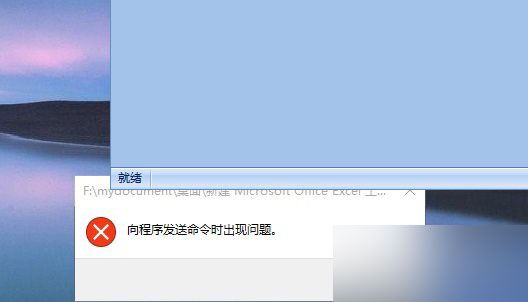
Excel 是 Win 系統常用軟體,Win 10 中偶發打不開並提示「向程式傳送命令時出現問題」。解決辦法:
關閉 DDE 後即可正常開啟 Excel。
Win7 關機卡在「正在等待後台程式關閉」解決方案:修改登錄縮短等待時間
WinXP 攝影機無法建立視訊預覽?三大解決方案完整教學
Windows 10 內建截圖工具 (Win+Shift+S/截圖工具) 失效無法儲存?修正圖片庫儲存路徑教學
Windows 10 隱藏工作列 Windows Defender 圖示:不影響防護功能
Win 10 安裝提示「此產品金鑰不適用於此版本 Windows」解決辦法:跳過輸入、安裝後再啟用
Windows Server 2016 TP3 新特性深度解析:容器技術成最大亮點
Win10 關閉 IPv6 協定提升網路速度,三步驟完成
Windows 10 技術預覽版移除桌面浮水印:一鍵去除測試版標識工具使用教學