Windows XP Windows 7 Windows 2003 Windows Vista Windows 綜合教學 Linux 系統教學
Windows 10 Windows 8 Windows 2008 Windows NT Windows Server 電腦軟體教學
您现在的位置: Windows教程網 >> Windows教程 >  >> Windows 綜合教學 >> 關於 Windows

Windows 10 隱藏工作列 Windows Defender 圖示:不影響防護功能

編輯:關於 Windows

Windows 10 週年更新後將 Windows Defender 圖示固定於工作列通知區域。若已安裝第三方防毒軟體或介意佔用空間,可隱藏圖示,Defender 核心防護功能(即時掃描、雲端保護、定期掃描)完全不受影響,偵測到威脅仍會彈出通知。

隱藏圖示步驟

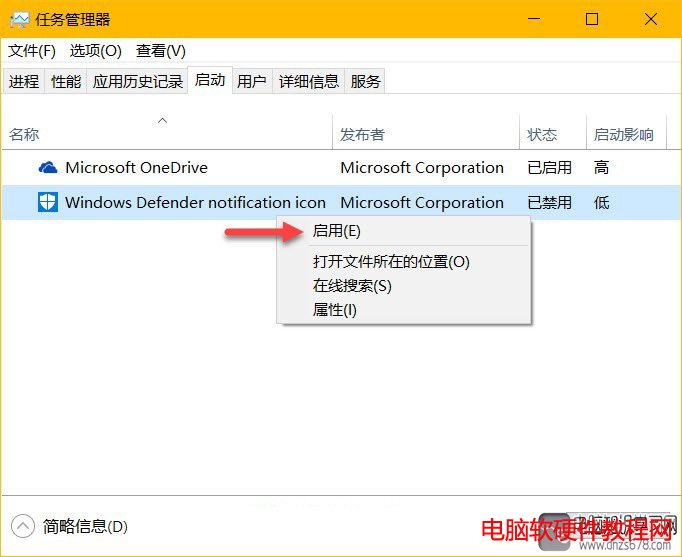
  1. Ctrl+Shift+Esc 開啟工作管理員 → 「啟動」索引標籤。
  2. 找到「Windows Defender notification icon」→ 右鍵「停用」。
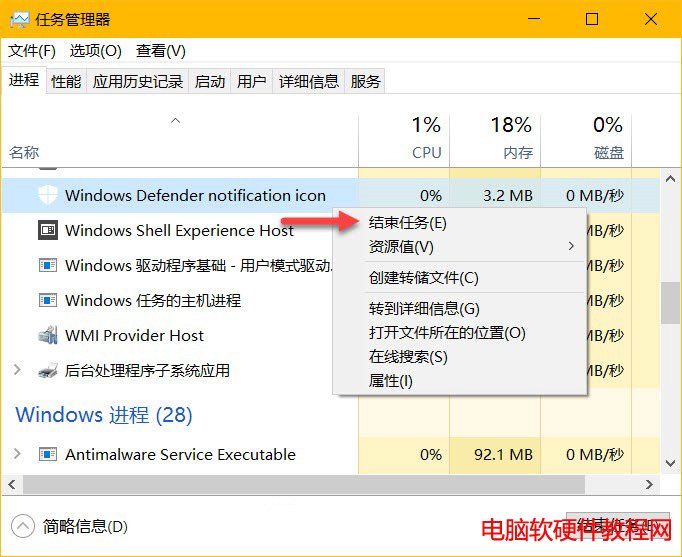
  3. 下次登入生效;立即生效可在工作管理員「詳細資料」中結束 MSASCuiL.exe 進程。

進階:Autoruns 工具管理

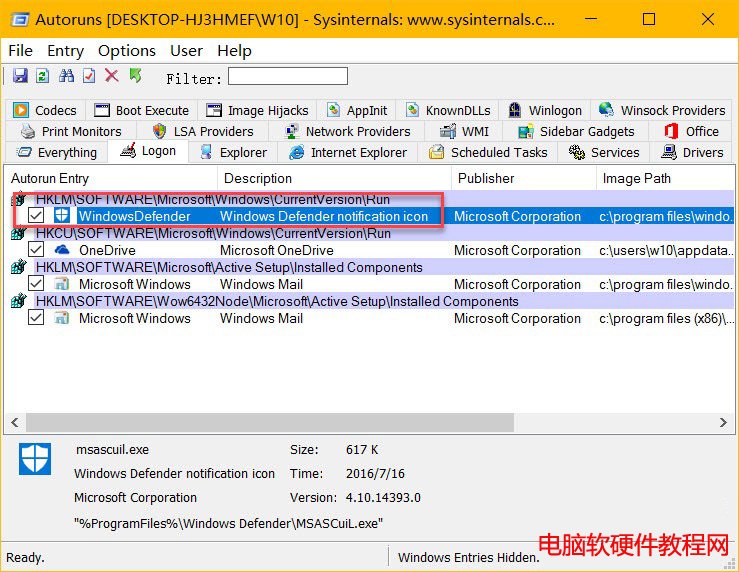
專業使用者可用 Sysinternals Autoruns 停用 Windows Defender notification icon 登機啟動項,效果相同。

恢復顯示

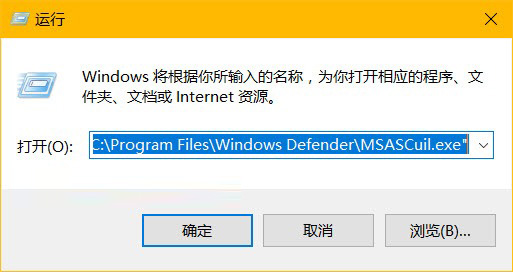
工作管理員 → 啟動 → 右鍵「Windows Defender notification icon」→ 「啟用」;或 Win+R 執行 "C:\Program Files\Windows Defender\MSASCuiL.exe" 立即顯示。
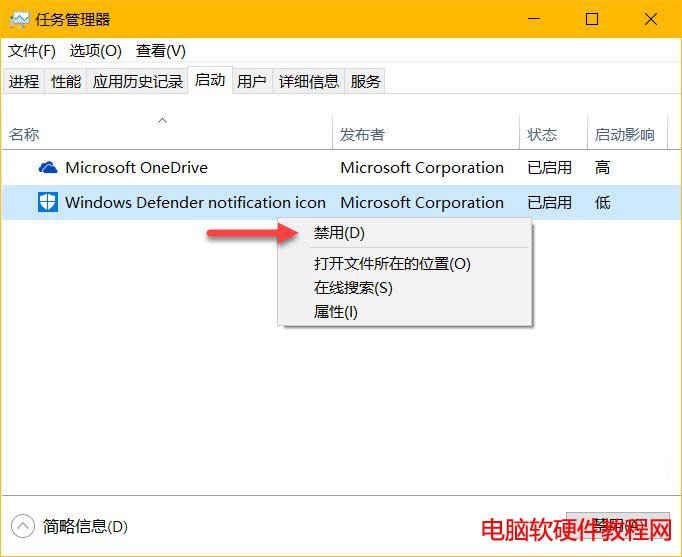
工作管理員停用 Defender 圖示
Autoruns 管理啟動項
結束 MSASCuiL 進程
啟用恢復顯示
執行 MSASCuiL 立即顯示

Copyright © Windows教程網 All Rights Reserved