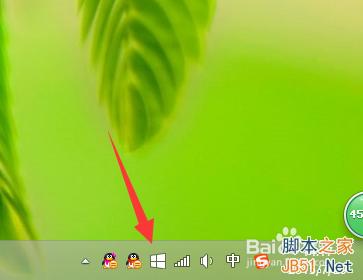
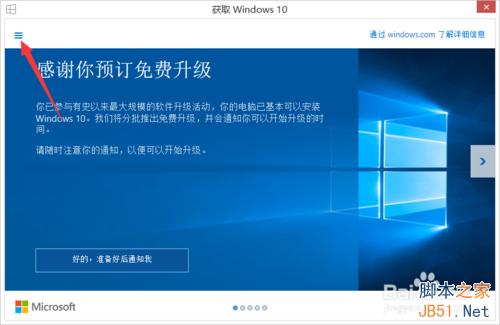
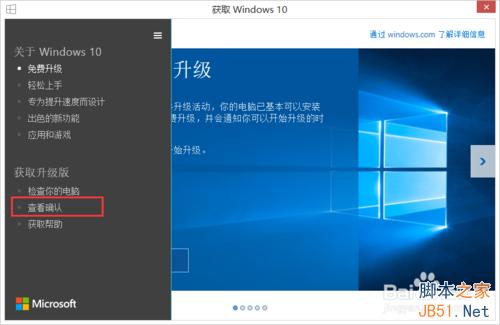
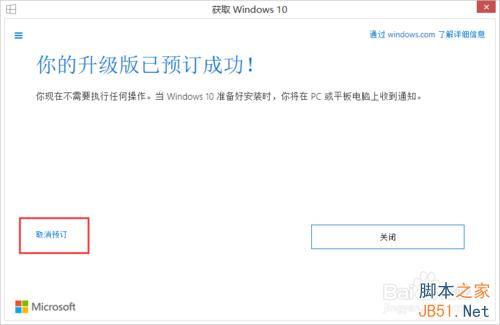
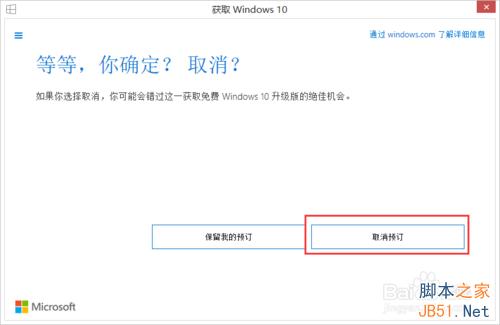
已預約 Win10 免費升級但暫不想升級(硬體不足/其他原因),可隨時取消預約,未來想升級時仍可恢復。
取消後不再接收升級推播,未來想升級可重新開啟 App 預約或用 Media Creation Tool 手動升級。
Win10 內建天氣應用修改主頁顯示城市:右鍵選單快速切換預設地點
「應用程式無法啟動,因為並行設定不正確」Win10 兩大解決方案
Win 10 系統如何查看圖片尺寸(大小)?五種方法圖文教學
Win8/8.1 檔案總管(資源管理器)頻繁停止運作?可靠性監視器與服務檢查完整解決方案
WinXP 寬帶連線錯誤 691 解決:MAC 位址衝突導致認證失敗
Win10 睡眠喚醒免輸入密碼設定教學:關閉密碼保護讓桌面秒回
Windows 7 如何解除安裝裝置驅動程式並重新安裝?裝置管理員完整操作教學
硬碟安裝法:在現有 Windows 系統下直接安裝 Windows 10 Build 9926(以 Win7 為例)