XP 系統「開始」→「所有程式」→「附件」中找不到「畫圖」?可透過控制台「新增/移除 Windows 元件」勾選安裝,或從他處複製 mspaint.exe 至 C:\WINDOWS\system32 即可找回。
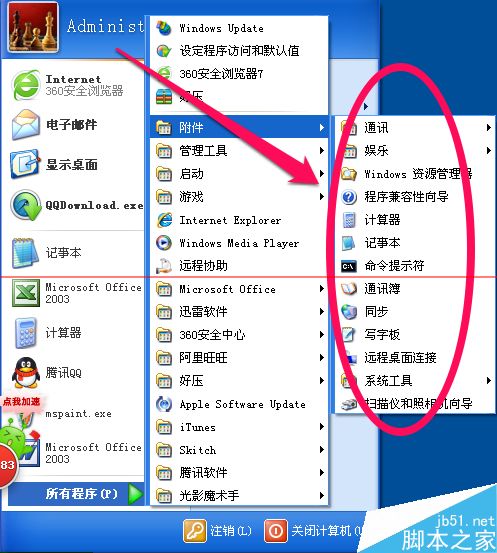
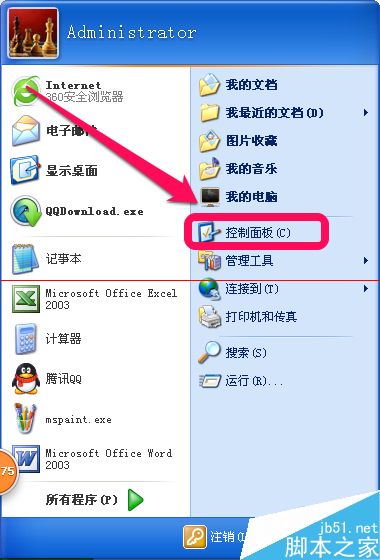
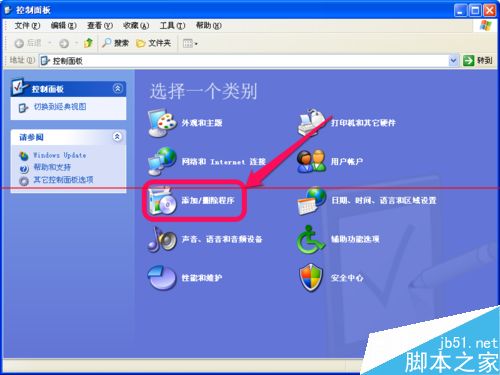
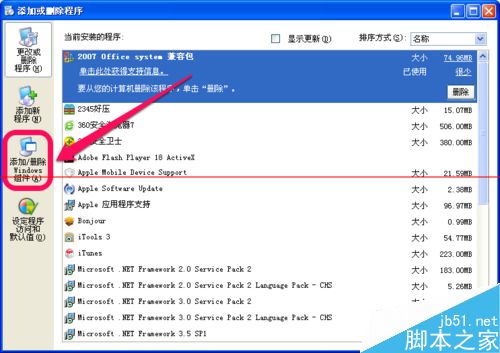
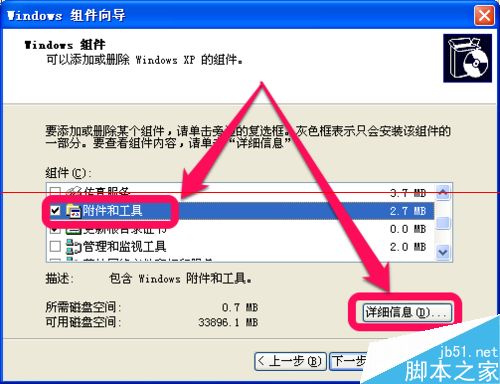
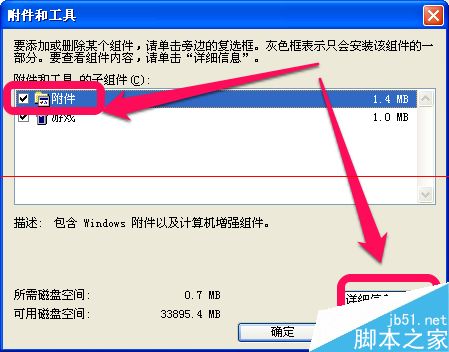
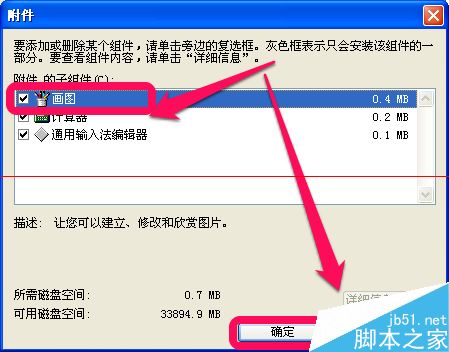
C:\WINDOWS\system32 確認是否有 mspaint.exe。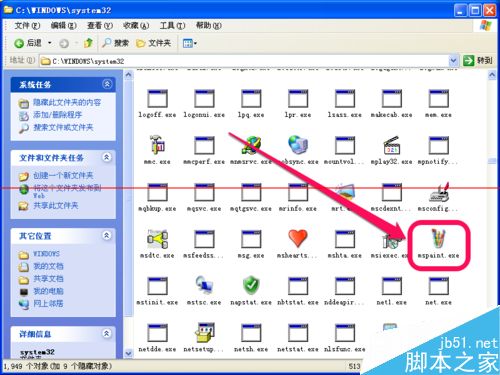
IE10 設定 IE8 相容模式完整教學:舊版網頁正常瀏覽不求人
Windows 7 調整 DPI 縮放比例讓高解析度螢幕文字更清晰
Win10 預覽版 14257 新增功能匯總:本次以修復為主,無新功能加入
Win10 設定 JDK 環境變數完整圖解:JAVA_HOME、CLASSPATH、Path 三步驟
微软发布 Win10 Build 9879 修复补丁:解决 explorer.exe 崩溃 & SSD 兼容性安装失败问题
Windows Server 2016 Technical Preview 3 簡體中文 ISO 鏡像洩露:含機密標記的資料中心版
Win10 找回「Windows 體驗指數」評分:shell:Games 呼叫舊版遊戲 + winsat formal 重跑分