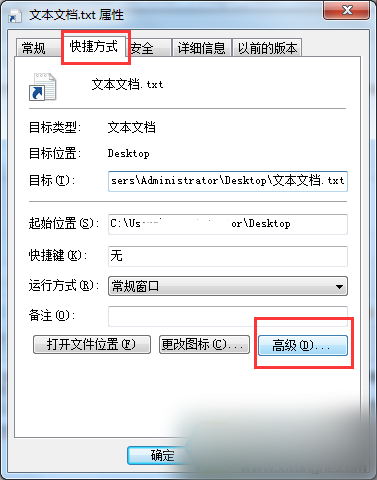
Windows 10 預設隱藏已知檔案副檔名,修改副檔名時需先顯示。提供兩種方法。
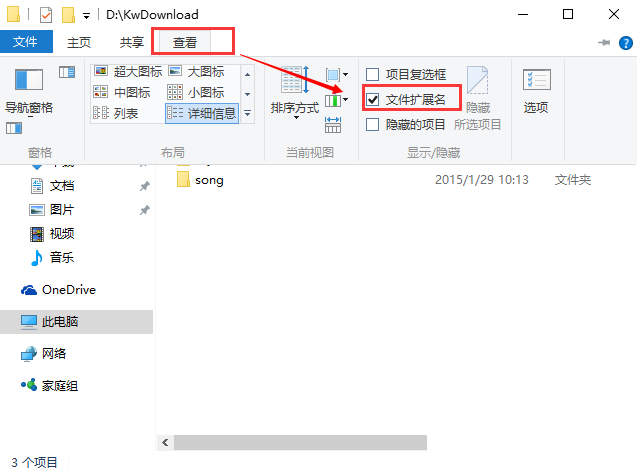
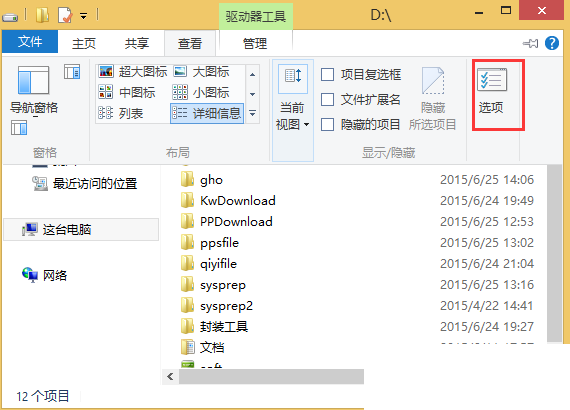
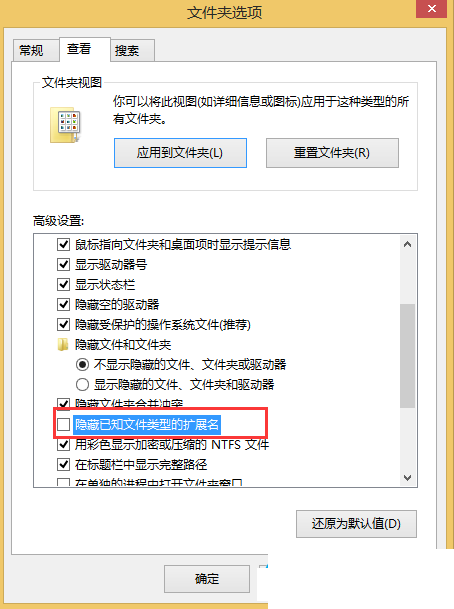
方法一更簡單快速。Win10 資料夾介面沿用 Win8.1 風格,Win7 用戶需短暫適應。
桌面回收站不見了?三種方法快速找回:資料夾重命名法 / 登錄表法 / 系統修復
Win10 提示「本次作業因電腦限制被取消」?群組原則一鍵解除限制
Windows 8 應用商店 0x80073cf9 錯誤解決:重命名 Spupdsvc.exe + sfc 掃描修復
Windows 10 螢幕截圖 3 大方法:內建快速鍵、QQ 截圖、瀏覽器擴充
Win10 预览版如何转正?一键“停用会员版本”即可无缝切换正式版
Win10 便箋升級為 OneNote?啟用雲端同步與跨裝置筆記完整教學