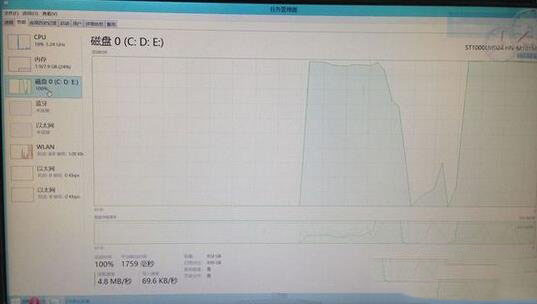
Win8.1 閒置時硬碟使用率常飆至 100%,實為 Windows 自動維護機制導致。關閉「自動維護」隔天失效,根治方法:停用兩項服務。
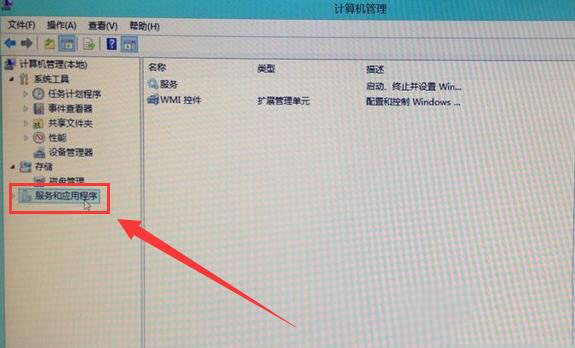
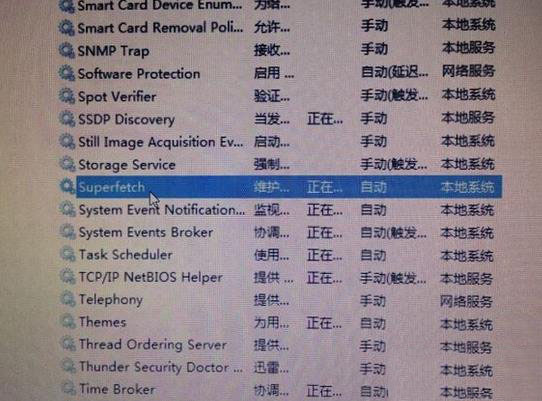
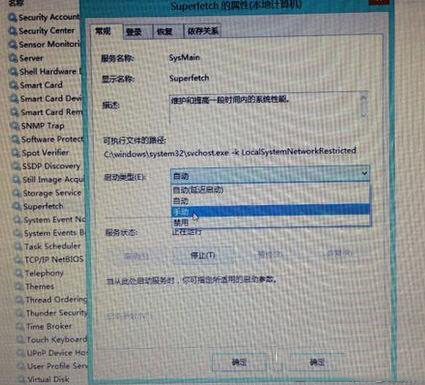
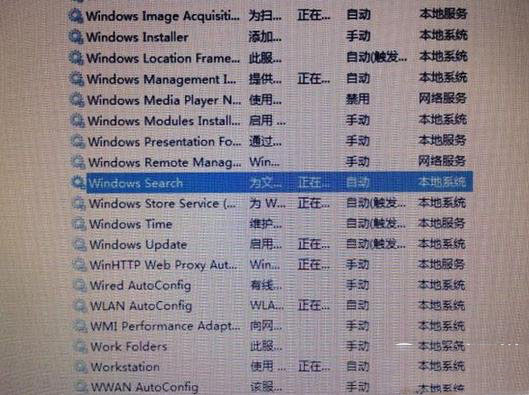
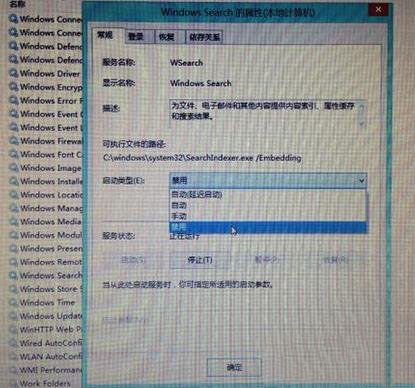
Win7/Win10 遇到硬碟高使用率同樣適用此法。
Windows 10 Build 10125 開始選單與 Cortana 無法開啟?安裝中文語音/手寫包解決
Win10 Build 10125 新特性演示視頻:平板模式後退鍵、固定內容到開始菜單、圖標美化
Windows 7 睡眠喚醒後黑屏怎麼辦?停用網卡「允許喚醒電腦」並檢查電源狀態
輕鬆設定 Windows 7 系統保護:建立還原點、找回誤刪檔案、系統還原全攻略
Windows 解決 cidaemon.exe (索引服務) 佔用 100% CPU:停用 Indexing Service
Win10 檔案總管簡化設定:隱藏六大常用資料夾、預設開啟「此電腦」像 Win7 一樣好用