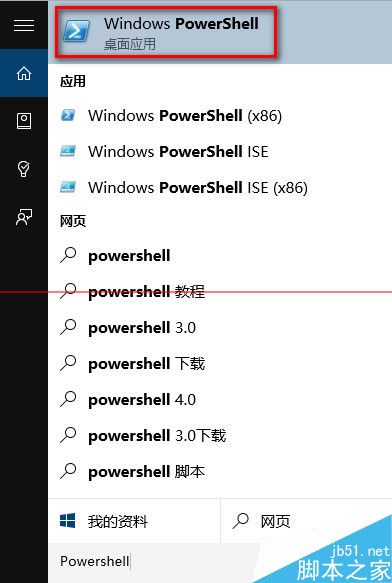
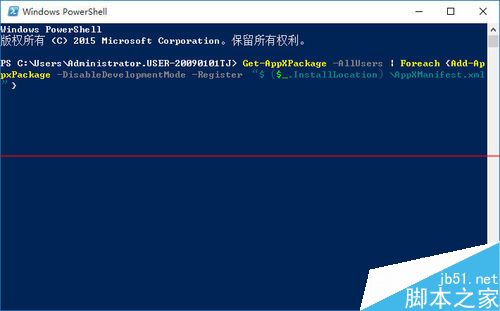
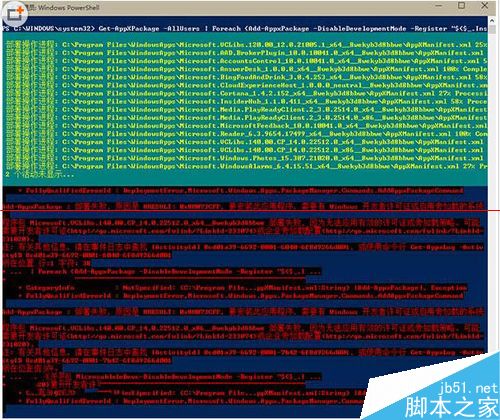
Win10 使用中應用程序無響應,多為應用加載失敗。管理員 PowerShell 執行重註冊命令修復:
Get-AppXPackage -AllUsers | Foreach {Add-AppxPackage -DisableDevelopmentMode -Register "$($_.InstallLocation)\AppXManifest.xml"}
相關推薦: Win10 正式版死機無響應解決
Win10 正式版無法使用小米隨身 WiFi?手動指定 Win8.1 驅動修復教學
Win8 關機後電源燈持續亮著?兩種解決方案關閉混合式關機/快速啟動
Win7 IE 遇到增益集故障關閉?兩種修復法:批次檔重註冊、IE 重設
Win10 週年更新 14352 自製中文 ISO 系統映像下載(32/64 位),含 SHA1 校驗與三種激活途徑
Win10 查看 DirectX 版本方法:執行 dxdiag 指令,預覽版仍為 DirectX 11,正式版將內建 DX12
關閉 Windows 7 通知區「設定備份」提示:一鍵停用備份通知
Win7 建立常用聯絡人,一鍵快速發送郵件完整教學
Win7 開機提示 Tsfltmgr.sys 錯誤?教你快速修復