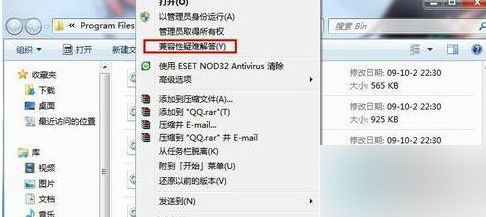
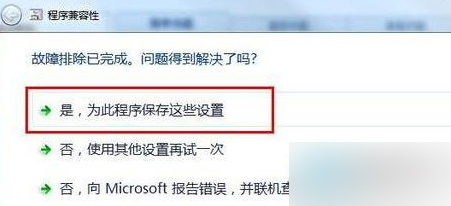
亦可下載相容性較佳版本軟體,從源頭避免問題。
Win10 升級被郵政銀行網銀鍵盤保護驅動 peckp.sys 阻擋解決辦法
Win10 中文版商店與 Metro 應用程式顯示英文?將中文設為預設語言解決
Windows 7 控制台找不到 BitLocker 驅動器加密?兩種檢視模式快速定位
Win7 安裝軟體後無法關機?三大排查方向與解決辦法
Win10 預覽版 (Build 9841/9860) 商店應用可直接拖曳建立桌面捷徑
Win10 Build 10532 釋出:右鍵選單現代化、Feedback 分享、EdgeHTML 強化,但 64 位 Chrome 崩潰、Windows Hello 失效
Windows 10 Cortana 顯示手機未接來電並支援電腦端回覆簡訊:完整設定教學
升級 Win10 後應用無法開啟、無法切換帳號?內建 Administrator 帳號相容性問題解決