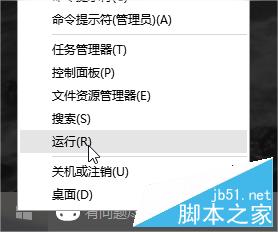
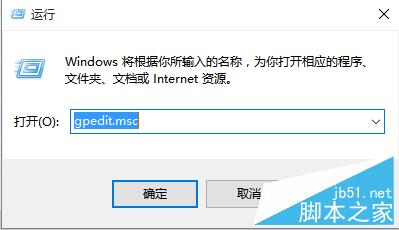
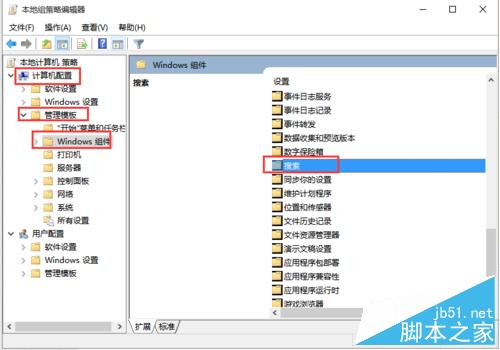
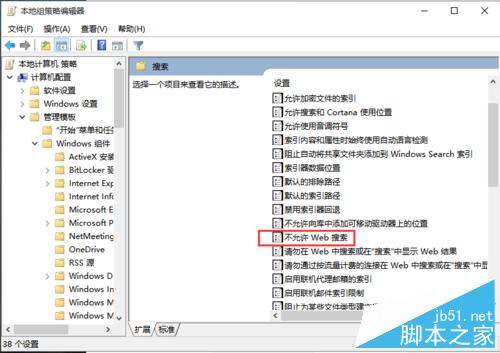
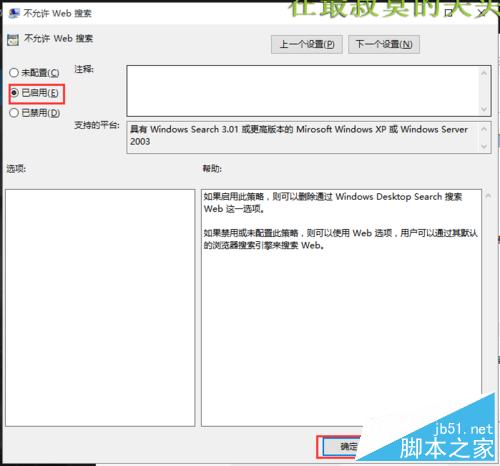
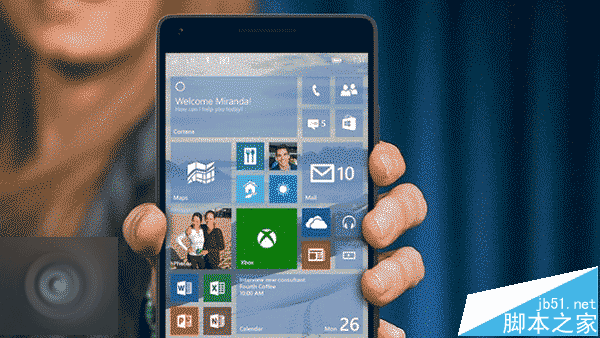
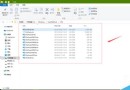
Cortana 整合網路搜尋導致回應延遲,若不需線上搜尋功能,可透過群組原則停用:
gpedit.msc
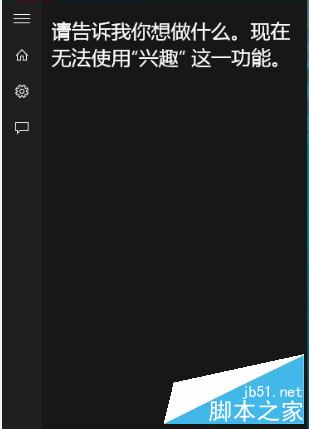
注意:啟用後「興趣」等需聯網功能將無法使用,若需恢復請設為「未設定」或「已停用」。
Windows 7 睡眠模式下保持網路連線:啟用 Away Mode(離開模式)登錄表設定教學
Win8 開機現「Start#ZHS」怪字?第三方字體替換系統字體導致,覆蓋原版字體即可修復
Windows 7 進入安全模式:F8 鍵喚出進階開機選單完整教學
Win10 家庭版免費體驗專業版功能?換個金鑰就能「試用」
Windows 10 RTM 版本號預測:三條數學規律鎖定 10800
Win10 輸入法切換反人類?註冊表深度自訂打造完美「單鍵盤布局+多輸入法」體驗 (附註冊表備份/還原/一鍵導入)
Windows 8 索引檔 Windows.edb 移至非系統碟:釋放 C 槽空間完整教學
Windows 10 管理 IE 瀏覽器附加元件提升執行速度:停用/移除不必要擴充功能