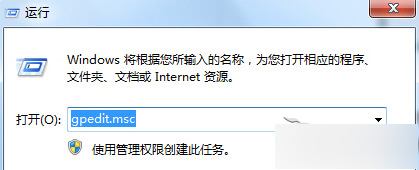
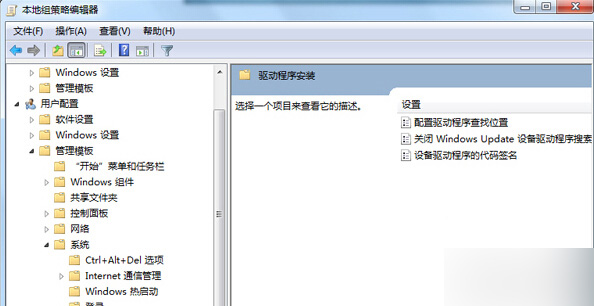
避免系統自動從網路下載驅動程式,可透過群組原則設定:
gpedit.msc
設定生效後,系統將不再自動連線 Windows Update 尋找驅動程式。
Win10 Mobile 10149 升級包含完整 Android 子系統:Project Astoria 核心組件曝光
升級 Win10 10525 系統進程佔用記憶體暴增?別怕,是「壓縮存儲」新機制在運作
Win10 藍牙功能在哪?開啟關閉與配對完整圖文指南
Win7 遊戲無法全螢幕?四大解決方案:解析度匹配、驅動更新、ATI 設定、登錄表修改
Win10 Build 10240 UAC Bug:不降低桌面亮度導致 Modern 應用授權對話框被遮擋
Win8 Modern遊戲存檔失敗?新增英文帳號登入即可解決
Win10 Edge 瀏覽器玩網頁遊戲黑屏?替換受損 Flash Player 檔案修復
Win8 開機出現致命錯誤 C00000022 解決方法