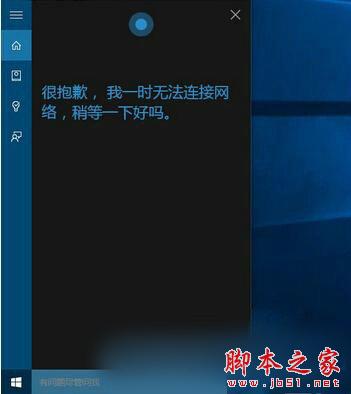
Win10 小娜 (Cortana) 提示「無法連線網路」但網路正常,因國內訪問微軟伺服器受阻,解決法:
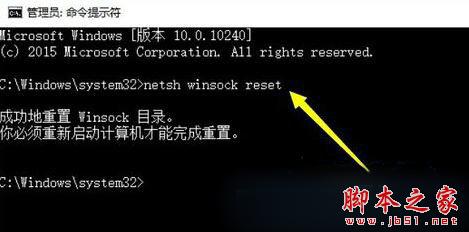
netsh winsock reset
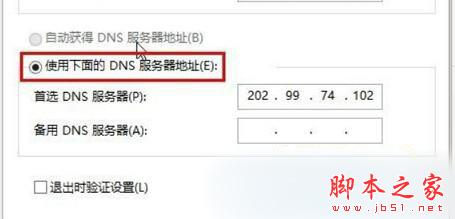
4.2.2.1
8.8.8.8
4.2.2.2
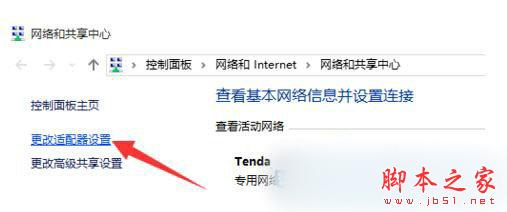
重置網路堆疊並使用海外公共 DNS,恢復小娜雲端服務連線。
Win10 15002洩露版ISO鏡像流出:內部構建洩露、功能增量有限、官方推送延期
Win10 家用版無法取得管理員權限?兩種方法啟用內建 Administrator
Win8 視窗邊框太寬浪費螢幕空間?修改登錄檔一鍵變窄
Win10 安裝卡死/黑屏怎麼辦?進入 WinRE 修復環境「重置此電腦」或「回復上一版本」
Win10 1607 預覽版右鍵「開啟方式」選美圖秀秀無反應?兩招設定預設程式修復
Win7 如何批次重新命名多個檔案?選取全部按 F2 自動編號最快
Win10 Mobile 10586.164 中文版升級截圖曝光:版本號大幅跳躍預示穩定性躍升
Windows 10 10159 升級到 10162 完整教學:簡化為三階段,約 30 分鐘完成