Win7 免重開機修改 MAC 位址:
001122334455)。確定即時生效。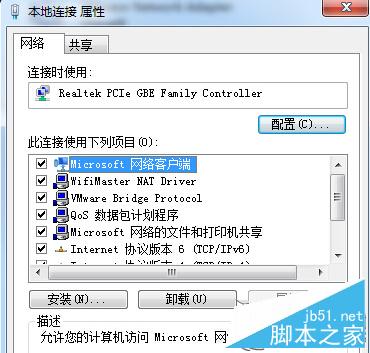
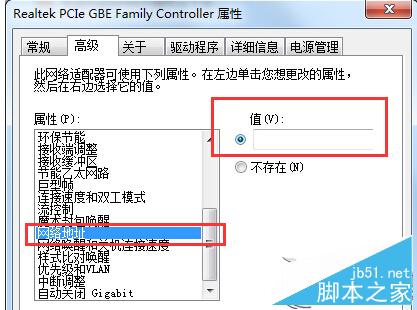
註冊表修改法需重開機,此法即時生效免重啟,適合快速變更 MAC 需求。
修復 Windows 7 右鍵「電腦」→「管理」無法開啟的問題
Windows 10 第二波累積更新 KB3081436 修復內容詳解:6 項安全修補含 Edge/IE/Flash/Silverlight
Win10 預覽版如何升級正式版?Insider 通道切換與停用完整教學
Win10 TH2 多瀏覽器分頁無響應/卡死?三法修復:IE 啟用 ActiveX 篩選 / 禁用 Shockwave Flash Object / 完整重裝 Flash
Windows 10 14986 重點優化高 DPI 螢幕支援,桌面應用文字更銳利
Win 10 家用版中國版攜手騰訊:內建 QQ 等應用與遊戲