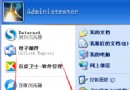
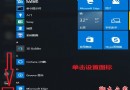
Windows 10 執行免安裝綠色軟體時跳出「錯誤:拒絕存取」,主要有兩個原因:防毒軟體攔截、或缺乏系統管理員權限。
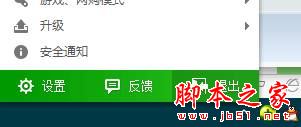
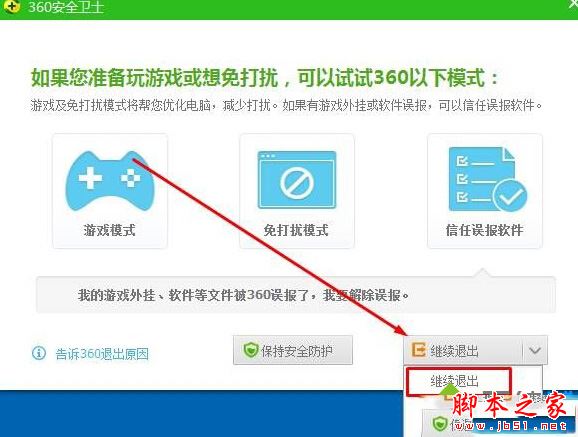
解決: 暫時關閉防毒軟體與防火牆。以 360 安全衛士為例,右鍵工作列圖示選擇「退出」→ 確認「繼續退出」。
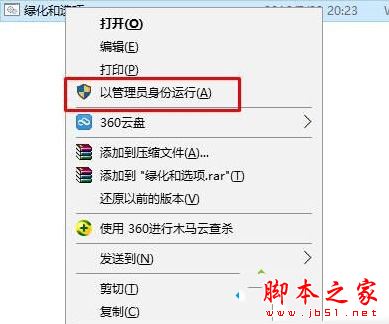
解決: 右鍵綠色軟體執行檔選擇「以系統管理員身分執行」。
依序嘗試上述兩法,多數情況可順利執行綠色軟體。若仍失敗,請檢查檔案屬性「解除封鎖」選項或相容性設定。
Win10 儲存空間在哪管理?一個介面掌握所有磁碟用量與清理
Win10 預覽版 9860 自製 ISO 鏡像下載與製作教學:ESD 解密打包全流程
Win8 GPT 分區結構解析:四大分區功能與廠商預裝分區差異
Win7 開機自檢報錯「Floppy disk fail」完整原因分析與解決方案
Win10 提示「你的帳戶已被停用,請洽詢管理員」?使用啟動 U 盤密碼清除工具啟用帳戶
Windows 10 Insider 預覽版免費升級正式版條件:必須安裝於實體主機並為主力系統
Windows 7 如何清除 explorer.exe 偽裝病毒?完整手動查殺與系統還原關閉教學
Win8.1 開機數字鍵盤未自動開啟?三大解法與快速啟動衝突說明