越多用戶升級 Win10,但也遇到問題。近期多用戶反映登入時提示「你的帳戶已被停用,請洽詢管理員」。解決需使用啟動 U 盤密碼清除工具開啟停用帳戶。

操作步驟:
- 開機啟動 U 盤工具箱(推薦 U 教授 U 盤啟動工具),進入啟動選單,選「執行 Windows 登錄密碼破解選單」;
- 選「清除 Windows 密碼」確定;
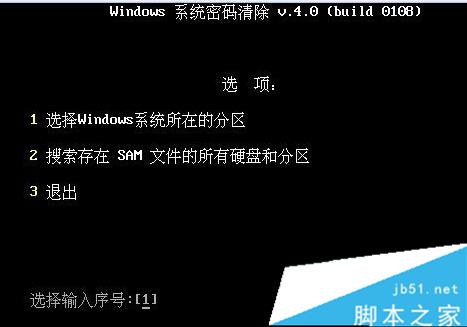
- 選擇系統所在分區「1」(不知情可用搜尋並按 Enter);
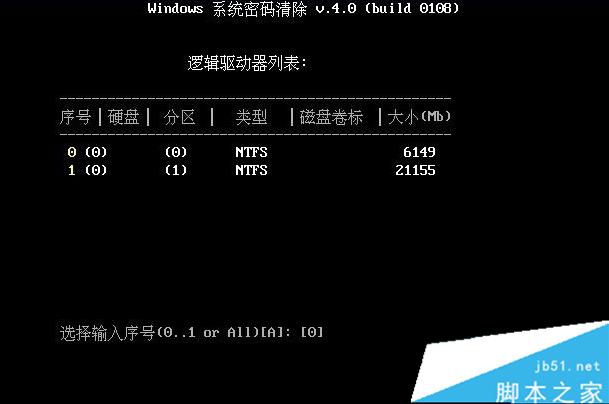
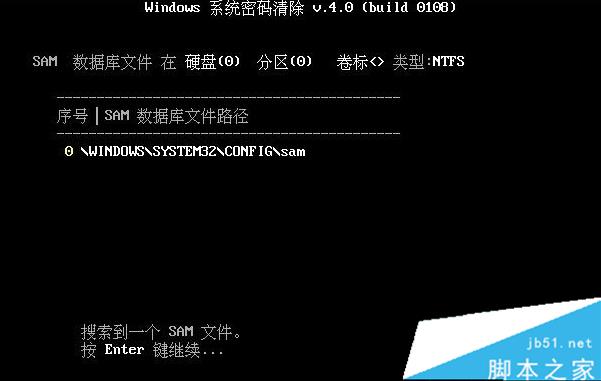
- 選擇系統分區(通常為 0 分區),確定工具自動搜尋 SAM 檔案;
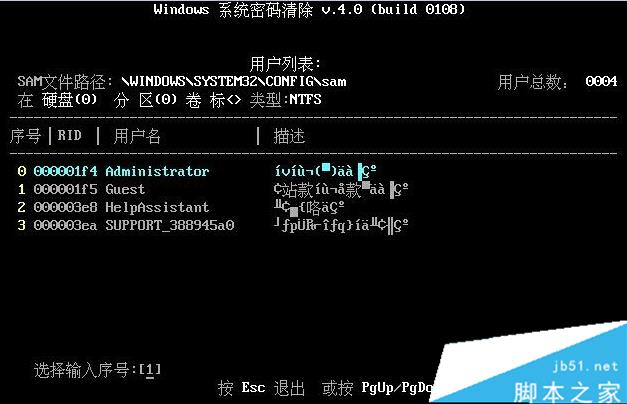
- 按說明確定,工具列出所有帳戶,輸入要啟用帳戶序號按 Enter;
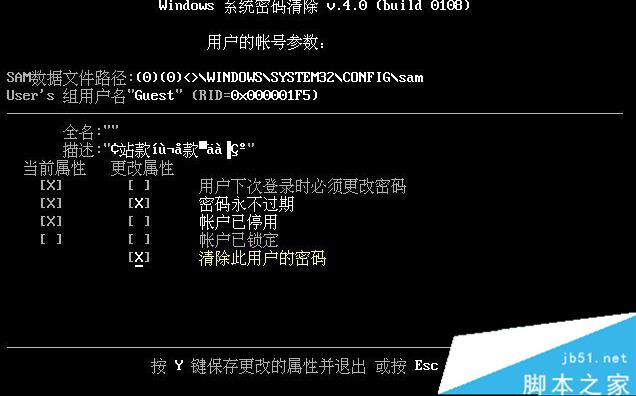
- 將「帳戶已停用」項取消,按 Y 鍵;
- 重新啟動 Win10,帳戶問題解決。


本文僅供參考,希望能幫助大家!