Windows 7 開啟區域網路共享需完成三項核心設定:啟用 Guest 帳號、關閉密碼保護共享、設定資料夾共享權限。
設定步驟
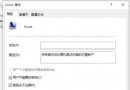
- 啟用 Guest 帳號:控制台 → 使用者帳戶與家庭安全 → 使用者帳戶 → 管理其他帳戶 → 點擊 Guest → 「開啟」。
- 關閉密碼保護共享:控制台 → 網路和網際網路 → 選擇家庭群組與共享選項 → 變更進階共享設定 → 向下捲動找到「密碼保護共享」 → 選擇「關閉密碼保護共享」。
- 資料夾共享設定:右鍵欲共享資料夾 → 「共用」 → 「特定使用者」 → 新增 Guest → 設定權限 (讀取/讀寫) → 「共用」。
進階方式:右鍵資料夾 → 「內容」 → 「共用」索引標籤 → 「進階共用」 → 勾選「共用這個資料夾」 → 「權限」 → 新增 Guest 設定權限。

注意:Win7 預設磁碟權限未含 Everyone,若對方仍無法存取,請在資料夾權限中手動新增 Everyone 並給予讀取/讀寫權限。