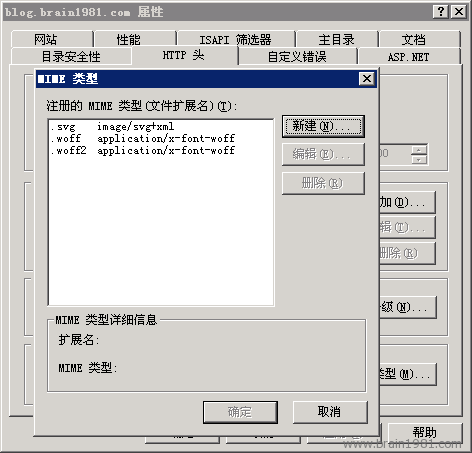
WordPress 遷移至 Windows Azure (IIS7) 後 WOFF 字體 404,原因為缺少 MIME 類型對應。透過網站根目錄 web.config 加入 <staticContent> 區塊設定:
<mimeMap fileExtension=".svg" mimeType="image/svg+xml" />
<mimeMap fileExtension=".woff" mimeType="application/x-font-woff" />
<mimeMap fileExtension=".woff2" mimeType="application/x-font-woff" />
完整 web.config 結構範例:
<?xml version="1.0" encoding="UTF-8"?>
<configuration>
  <system.webServer>
    <staticContent>
      <mimeMap fileExtension=".svg" mimeType="image/svg+xml"/>
      <mimeMap fileExtension=".woff" mimeType="application/x-font-woff" />
      <mimeMap fileExtension=".woff2" mimeType="application/x-font-woff" />
    </staticContent>
    <rewrite>...</rewrite>
  </system.webServer>
</configuration>
儲存刷新頁面即可正常載入字體。IIS6 設定法請參考相關文章。