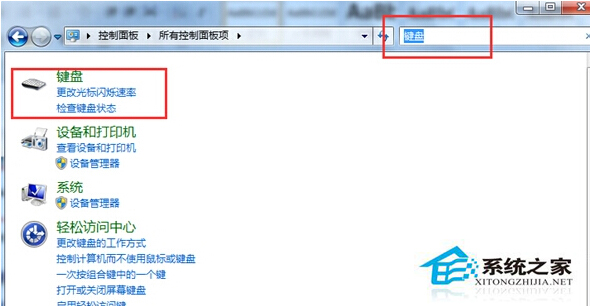
Win7 使用者若發現打字時字符重複出現,且鍵盤硬體無故障,通常是「鍵盤重複速率」設定過快所致。透過控制台調整重複延遲即可解決。
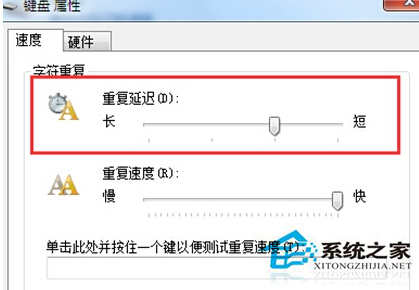
若調整後仍有重複,可再將「重複速率」調慢,或檢查鍵盤驅動程式是否需更新。
Windows 登錄腳本替代方案:五大群組原則偏好設定 (GPP) 取代登入腳本,管理更簡單
Win10 關閉 OneDrive 開機自啟動與同步功能的圖文教程
Win10 再生變數:微軟從 Windows Update 撤下 11 月更新,媒體建立工具亦無 10586
Win7 無法開啟 Office 2010 檔案?兩種解決「檔案遭封鎖」與「受保護檢視」問題
解決 Windows Update 錯誤 80070002:官方建議三步驟修復
Win7 開機提示 LDrvPro64.sys 無法驗證數位簽章解決:停用強制簽章或刪除驅動
Win7 瀏覽器彈出「Adobe Flash Player 已停止運作」解決:關閉 Flash 保護模式 ProtectedMode=0