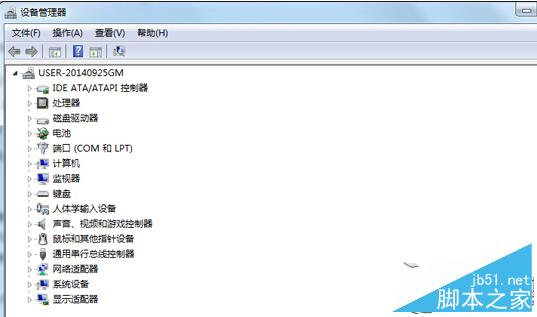
Win7 光碟機不顯示時修復步驟:
此法適用光碟機驅動異常或裝置管理員不顯示的情況。
Win10 啟用/金鑰/購買/商店問題彙總:微軟官方客服訪談實錄
Windows 10 登錄編輯器在哪?Regedit 指令快速開啟圖文教學
Windows 7 刪除檔案提示「檔案正在被使用」?善用資源監視器找出佔用程序
Windows 7 開機沒聲音?11 步驟完整排查聲卡、驅動、服務、設定
Windows 10 啟用檔案歷程記錄完整教學:備份至本機磁碟或網路共用資料夾
Win7 執行舊版 CAD 滑鼠游標閃爍?兩招:相容性「停用桌面元素」或切換基本主題
Win8.1 如何升級 Win10?透過 Windows Update 線上升級完整圖文教學
Windows XP 解決「您的電腦可能有風險」提示:啟用自動更新與安裝防毒軟體