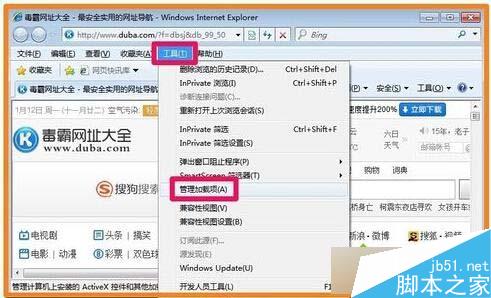
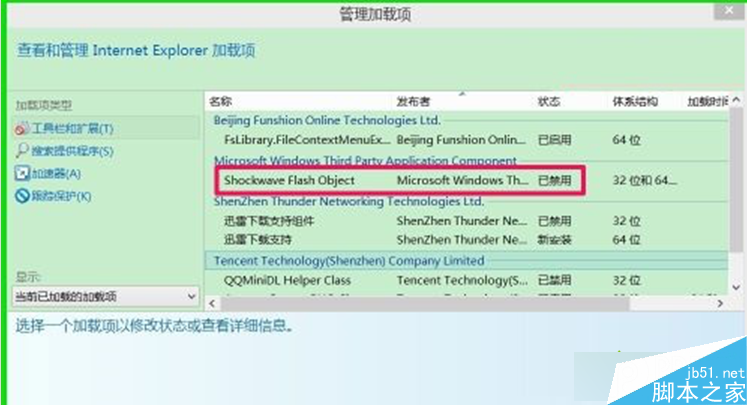
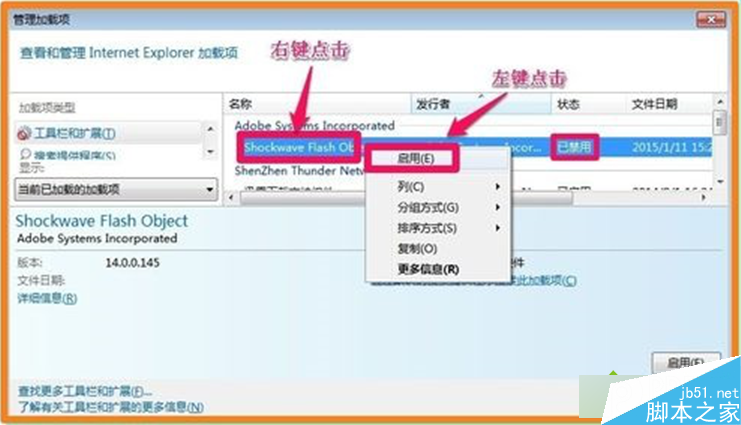
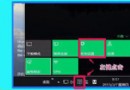
Win7 IE 中 Flash Player 被停用,開啟步驟:IE → 「工具」→「管理附加元件」→ 找到「Shockwave Flash Object」狀態顯示「已停用」 → 右鍵選「啟用」 → 關閉視窗即可恢復 Flash 內容播放。文章附管理附加元件介面截圖。
Win10 使用「檔案歷程記錄」將檔案備份到小米路由器(網路磁碟)教學
LOL 英雄聯盟提示「遊戲出了問題 請重啟客戶端」:裁決之鐮懲罰機制觸發,同意承諾書即可解除
Windows 10 預覽版開始選單無回應 群組原則啟用內建管理員核准模式
在 Windows 8 電源選單中新增「睡眠」選項
Win7 系統支付寶網頁打不開?三大常見原因與排查步驟
Win 10 強制自動更新(家用版)坑慘 N 卡用戶:多螢幕、SLI 失效、螢幕閃爍
Win10 正式版網路「受限/無權限存取」解決全攻略:重置網卡、修復 LSP、更新驅動
Win10 資料夾正在使用無法刪除?電腦管家檔案粉碎機強力清除