.pst 是 Outlook 的資料檔格式,開啟前必須安裝 Outlook。本文說明從安裝到匯入的完整流程,解決版本相容性疑慮。
前置準備:安裝 Outlook
建議安裝最新版 Outlook,因 Windows 應用多向下相容,可最大程度支援舊版 .pst 檔案。
匯入步驟(非雙擊開啟)
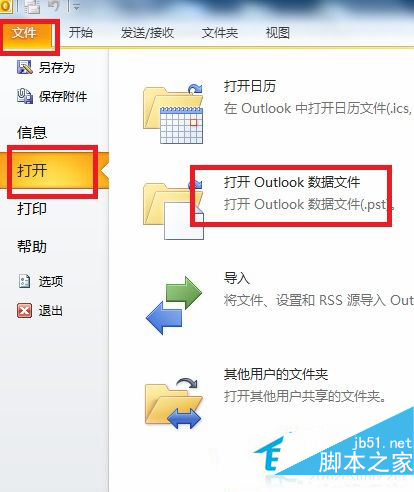
- 開啟 Outlook → 點擊「檔案」選單
- 選擇「開啟 Outlook 資料檔案」
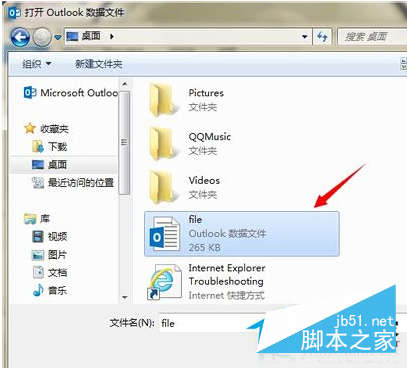
- 瀏覽選取 .pst 檔案位置 → 點擊「開啟」
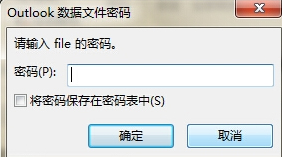
- 輸入原設定的加密密碼(若有)
常見問題
- 雙擊 .pst 無法直接開啟,必須透過 Outlook 匯入
- 若忘記密碼無法存取,需尋找第三方修復工具
- 系統已有 .pst 通常代表曾安裝 Outlook