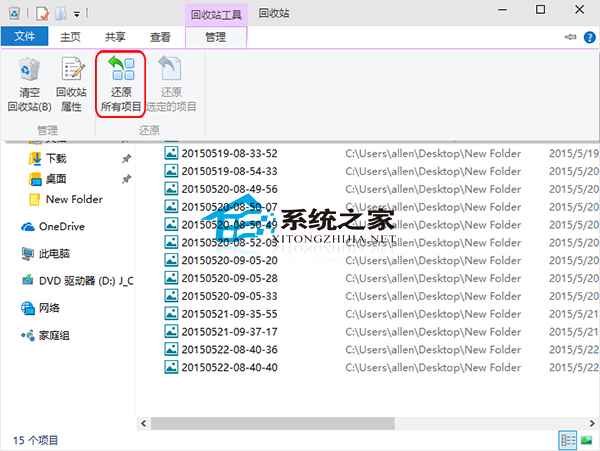
誤刪文件在回收站,一鍵全還原步驟:
也可設置「不經回收站直接刪除」適合追求極致效率的用戶。
XP 系統強制刪除被佔用影片檔三法:檔案粉碎、取消預覽、空資料夾移除
Win7 一鍵清除所有使用者 Cookie 與暫存網頁檔:批次檔自動化腳本
Win7 隱藏資料夾進階術:透明圖示 + 零寬字元 (LRM) 讓資料夾在資源管理器「隱形」
Win10 字體顯示效果不佳解決方案:替換無 Hinting 微軟正黑體 + MacType 灰階渲染
Win8 開機黑屏等待過久?四大解法含虛擬記憶體重置、字體快取、啟動等待、顯卡驅動
Win7 顯示檔案副檔名(擴充名)識別檔案類型:資料夾選項一鍵設定
快速刪除 Win7/8.x Win10 升級通知:開源小工具「I Don't Want Windows 10」一鍵移除 KB3035583