Windows 10 預設瀏覽器為 Microsoft Edge,IE 11 雖保留於系統但未在桌面建立捷徑。透過匯入註冊表檔可快速在桌面產生 IE 圖示。
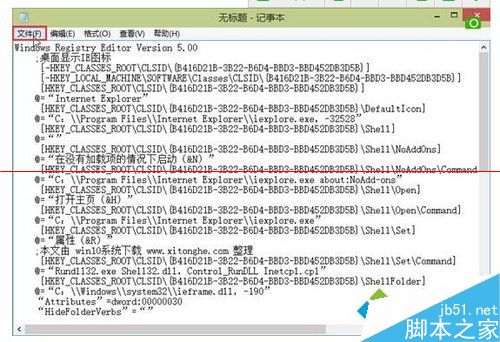
Windows Registry Editor Version 5.00

[HKEY_CURRENT_USER\Software\Microsoft\Windows\CurrentVersion\Explorer\HideDesktopIcons\NewStartPanel]

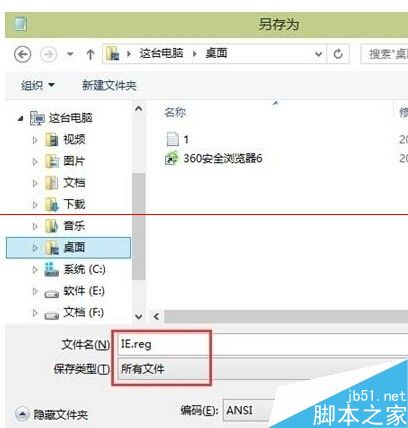
"{871C5380-42A0-1069-A2EA-08002B30309D}"=dword:00000000IE.reg(儲存類型選「所有檔案」)。IE.reg,確認匯入提示選「是」。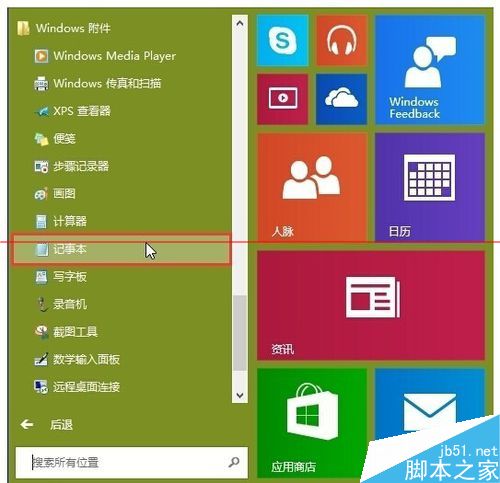

替代方法: 開始 → 所有應用程式 → Windows 附屬應用程式 → Internet Explorer 右鍵 → 「更多」→ 「開啟檔案位置」→ 複製捷徑至桌面;或在 Edge 中開啟網頁 → 右上角「...」→ 「用 Internet Explorer 開啟」。