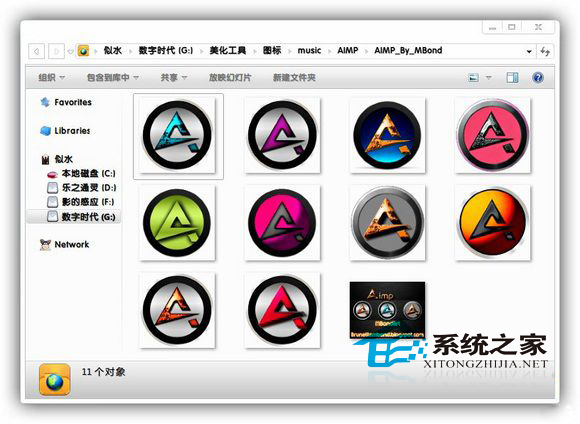
Windows 7 PNG 檔案縮圖自帶陰影,覺得礙眼可移除:
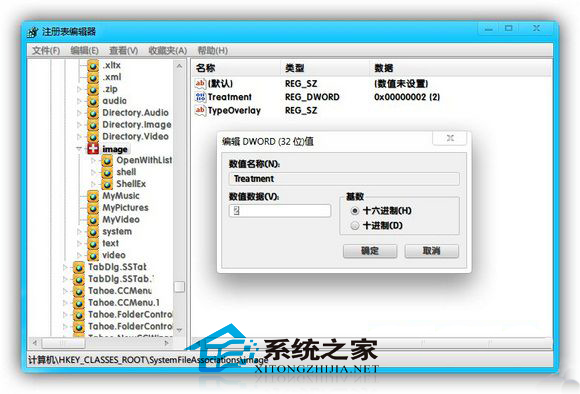
regedit
HKEY_CLASSES_ROOT\SystemFileAssociations\image
Treatment
0
重新整理後 PNG 縮圖陰影消失。
Win10 PC 預覽版 14955 修復與已知問題彙整:量角器筆跡、精確觸控板、講述人、USB、Edge 等大量改進
Win10 安裝後無法上網?同樣是啟用多播協定與 Winsock 重置解決方案
如何升級至 Win10 最新預覽版 9926?完整更新步驟與序號教學
解決 Windows 7 無法移除更新補丁包的方法
Win10 提示「啟用 Windows 10,前往設定啟用」的原因與完整解決方案
Windows 8 內建語音辨識功能完整設定與使用教學
Win7 工作管理員看不到進程列表?雙擊邊框 + 關閉技巧完整教學
Win10 64位 QQ 語音/視訊音量太小?兩大解法:QQ 設定與系統麥克風增強