Windows XP Windows 7 Windows 2003 Windows Vista Windows 綜合教學 Linux 系統教學
Windows 10 Windows 8 Windows 2008 Windows NT Windows Server 電腦軟體教學
您现在的位置: Windows教程網 >> Windows教程 >  >> Windows 綜合教學 >> 關於 Windows

執行 clipbrd.exe 提示找不到檔案?下載放入 System32 即可修復剪貼板檢視器

編輯:關於 Windows

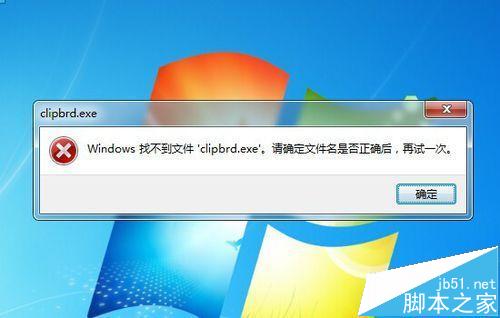
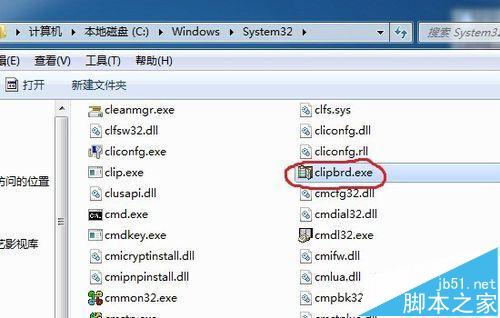
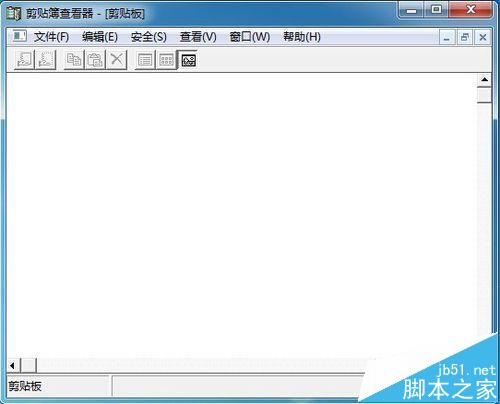
Win7/8/10 執行 clipbrd.exe 提示「Windows 找不到檔案」,原因是系統預設不包含此舊版剪貼板檢視器 (XP 內建)。解決方法:下載 clipbrd.exe (47 KB) → 放入 C:\Windows\System32 → 再次執行即可開啟剪貼板檢視器,恢復複製貼上功能異常排查能力。

現象重現

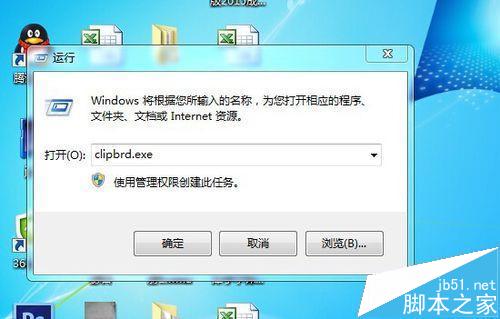
  1. Win+R → clipbrd.exe → Enter。
  2. 彈出「Windows 找不到檔案 clipbrd.exe」。

修復步驟

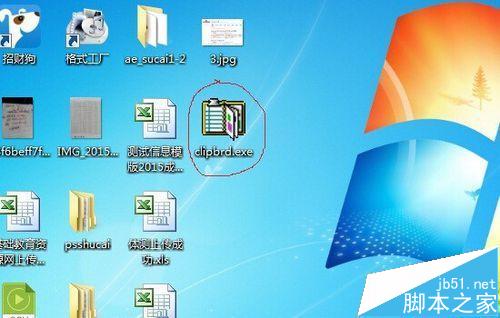
  1. 下載 clipbrd.exe (可信來源,檔案大小 47.1 KB,版本 5.1.2600.0)。
  2. 將檔案複製/移動至 C:\Windows\System32 (需管理員權限)。
  3. 再次 Win+R → clipbrd.exe → 開啟剪貼板檢視器視窗。

補充說明

  • Win10 現代剪貼板歷史記錄:Win+V 開啟雲端同步剪貼板 (需啟用設定 → 系統 → 剪貼板 → 剪貼板歷史記錄)。
  • clipbrd.exe 為 XP 時代工具,僅顯示當前剪貼板內容,不具歷史/同步功能。


  • 若 System32 已有同名檔案但損壞,同樣以新檔覆蓋即可。
Copyright © Windows教程網 All Rights Reserved